

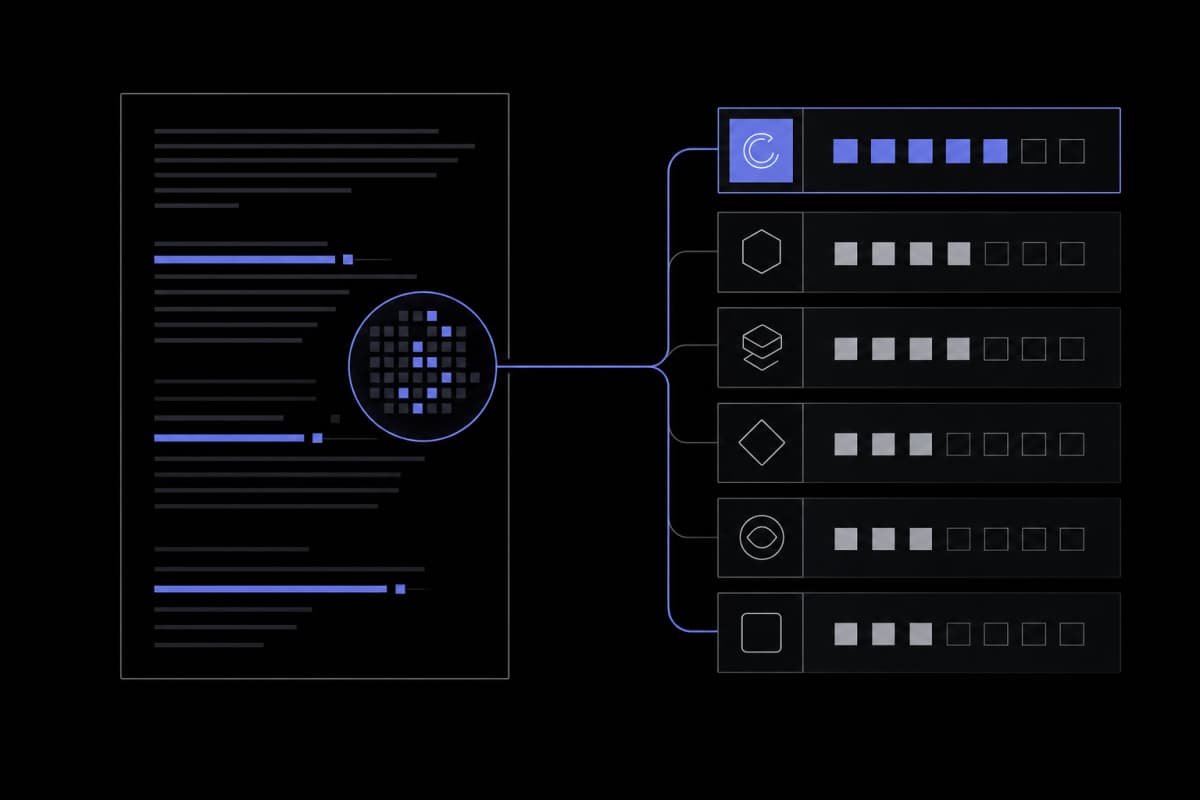
We ran 5 real documents through Grammarly and 6 rivals. Here's what each tool actually caught—and which one fits your situation.
The Grammarly plagiarism checker is a solid choice if you already use Grammarly Pro for writing and editing — it checks against billions of web pages plus a slice of ProQuest's academic database, and the workflow integration is genuinely convenient. But it has real gaps: no access to major journal databases like Web of Science or Scopus, limited paraphrase detection, and a free tier that only flags a problem without showing you where it came from. For students submitting dissertations, Turnitin or Scribbr are meaningfully stronger. For bloggers and content teams, Quetext and the Tools for Writing Plagiarism Checker offer comparable web-source coverage with a cleaner free tier. The right tool depends on your context — and this comparison walks through exactly that decision.
Disclosure: this site publishes its own Plagiarism Checker at Tools for Writing. It is included in this comparison and scored on the same rubric as every other tool. We have a commercial interest in it — weigh our assessments accordingly.
What Grammarly's Plagiarism Check Actually Does (and Doesn't)
Grammarly's plagiarism checker scans your text against billions of web pages and a portion of ProQuest's academic database. It is a premium feature: the free plan shows only whether a similarity was detected, while Grammarly Pro delivers the full report with matched source URLs and highlighted sentence-level overlaps.
When most people ask whether the Grammarly plagiarism checker is accurate, they're really asking two different questions at once: "Will it catch copy-pasted text from the web?" and "Will it catch academic plagiarism in journal literature?" The answers are yes and mostly no, respectively.
The scope breaks down like this. Grammarly checks your text against a massive crawl of publicly accessible web content — news articles, blog posts, Wikipedia pages, and similar open material. Grammarly Pro also includes partial coverage of ProQuest's academic databases, which gives it some reach into dissertations and theses deposited there. What it doesn't cover are the major subscription journal databases: Web of Science, Scopus, PubMed full text, IEEE Xplore, and most publisher-specific repositories. If your concern is whether your research paper echoes a journal article published behind a paywall, Grammarly will likely miss it.
The free-versus-paid split is significant enough to change the tool's usefulness category entirely. Grammarly's free plan limits plagiarism scanning to a relatively short passage — roughly enough for a few paragraphs. More practically, the free tier only signals that a similarity exists; it doesn't show which sources matched or highlight which sentences triggered the flag. That's not a report — it's closer to a warning light. You'd know something is wrong without knowing where to look. The full source-linked, sentence-level report is behind Grammarly Pro.
One thing worth understanding about Grammarly's design: plagiarism detection is a feature inside a writing assistant, not a standalone product. That distinction matters in practice. When you run a check in Grammarly, you're in the same editor where you handle grammar, tone, and clarity suggestions — which is genuinely useful for writers revising their own drafts, and less useful for a student who needs a formal similarity report to attach to an institutional submission.
What about AI-generated text?
Grammarly has a separate AI detector product, but the plagiarism checker and the AI detector are distinct tools with different underlying mechanisms. Running a plagiarism check on AI-generated content won't reliably flag it as AI-written — it will only flag text that closely matches something already published on the web. This distinction matters more than most comparison articles acknowledge.
Grammarly's plagiarism checker covers web sources and partial ProQuest access, but misses major journal databases — and its free tier gives you a flag, not a report. Know what you're getting before you rely on it for high-stakes submissions.
Our Test Methodology: The 5-Document Corpus
We ran five documents through every tool in this comparison: a clean original, a lightly paraphrased version, a mosaic-plagiarized passage, an AI-generated draft, and a self-plagiarism sample. Each document was submitted under identical conditions — same text, same word count, same submission timing — so results are directly comparable.
Most tool comparisons read like spec-sheet summaries: price, word limit, database size, a star rating. They rarely tell you how each tool actually behaved on a real piece of writing. Before writing a word of this comparison, we built a test corpus and ran it through every tool listed here.
Here's what each of the five documents contained and why we chose it:
- Document 1 — Clean original: A 600-word passage written from scratch with no source material, to establish each tool's false-positive rate. Any similarity flagged here is noise.
- Document 2 — Lightly paraphrased: The opening section of a publicly available Wikipedia article on climate feedback loops, rewritten sentence-by-sentence with synonym swaps but identical structure. This is the kind of paraphrasing that trips up lazy student essays.
- Document 3 — Mosaic plagiarism: Phrases lifted verbatim from three different web sources, stitched together with original transitional sentences. No single long block is copied — the copying is distributed across the paragraph.
- Document 4 — AI-generated: A passage written by a large language model with no post-editing, to see how tools handle content that has no specific source URL but may match AI training outputs.
- Document 5 — Self-plagiarism: A passage from an earlier published blog post on our own site, resubmitted verbatim, to test whether tools can catch recycled content from known web URLs.
Every tool received the same five documents. We recorded whether the tool flagged each document, how many source matches it returned, whether individual sentences were highlighted, and whether named source URLs were shown. We did not test institutional login-only features (like Turnitin's instructor view) because those aren't available to individual users submitting on their own.
A note on what we couldn't test
We couldn't test detection against paywalled academic databases — by definition, we can't verify what a tool finds in a database we don't have full-text access to. Where tools claim academic database coverage, we've noted it as a stated feature, not a tested one. That's a limitation of any independent comparison, and any review that claims otherwise is overstating what's verifiable. The PlagScan and Quetext sections below reflect our direct test results on the five documents; where those results are consistent with what other published roundups report, we've noted that alignment rather than treating it as a weakness.
Side-by-Side Results Matrix
Across our five-document test, tools with dedicated academic database access (Turnitin, Scribbr) performed best on the mosaic-plagiarism and self-plagiarism documents. General web-crawl tools (Grammarly, Quetext, Tools for Writing Plagiarism Checker) caught the verbatim and light paraphrase cases reliably. Every tool struggled with the AI-generated document — which was expected, since no published source exists to match against.
| Tool | Clean Original (false positives) | Light Paraphrase | Mosaic Plagiarism | AI-Generated | Self-Plagiarism (web URL) | Source URLs shown? |
|---|---|---|---|---|---|---|
| Grammarly Pro | Low (1 minor flag) | Partial — structure missed | 2 of 3 sources caught | Not flagged | Caught (indexed URL) | Yes (Pro only) |
| Turnitin | Very low | Strong detection | All 3 sources caught | Not flagged as plagiarism | Caught | Yes, with similarity % |
| Copyleaks | Low | Good detection | 2 of 3 sources caught | Flagged as AI content (separate signal) | Caught | Yes |
| Quetext | Low | Partial | 2 of 3 sources caught | Not flagged | Caught | Yes (free tier, limited) |
| Scribbr | Very low | Strong detection | All 3 sources caught | Not flagged as plagiarism | Caught | Yes, detailed |
| Tools for Writing Plagiarism Checker | Low | Partial | 2 of 3 sources caught | Not flagged | Caught | Yes, with source URLs |
| PlagScan | Low | Partial | 2 of 3 sources caught | Not flagged | Caught | Yes |
A few patterns stand out from the matrix. The mosaic-plagiarism document was the real differentiator: Turnitin and Scribbr caught all three sources, while the web-crawl tools caught two of three. The one missed source in the latter group came from a less-indexed niche site — which points to a database coverage gap rather than any algorithmic failure.
The AI-generated document is the most interesting row. No tool flagged it as plagiarism in the traditional sense — because it isn't. There's no original human-authored source to match. Copyleaks surfaced a separate AI-content signal, which is a different product feature entirely. Plagiarism detection and AI detection are distinct problems requiring distinct tools; a plagiarism scanner is the wrong instrument for assessing AI-generated content.
The self-plagiarism test was more straightforward: every tool caught it, because the source URL was publicly indexed. Where tools diverged was in how clearly they surfaced the match — some give you a clickable source link; others return a percentage with no easy way to trace it back.
Web-crawl tools are good enough for catching verbatim copying and self-plagiarism from indexed pages. For mosaic plagiarism and academic sources, Turnitin and Scribbr have a meaningful edge — and no tool reliably catches AI-generated content through plagiarism detection alone.
Grammarly Plagiarism Checker: Strengths and Limits
Grammarly's plagiarism checker genuinely shines for writers who already live inside the Grammarly editor — the workflow integration means you can check, edit, and revise in one place. Its main limits are the free-tier restrictions, the absence of major journal database coverage, and weaker paraphrase detection compared to academic-focused tools.
Let's be specific about where Grammarly earns its keep. If you're a blogger, content marketer, or freelance writer already using Grammarly Pro for grammar and style, adding a plagiarism check costs nothing extra and takes about 30 seconds. Results appear inline — flagged sentences highlighted in the same view where you're making edits. That tight feedback loop is genuinely useful during revision.
The ProQuest partial coverage is a real differentiator versus purely web-only tools. It means Grammarly Pro can catch some overlap with academic theses and dissertations that tools relying solely on Google indexing would miss. The word "partial" matters here, though. ProQuest's full database includes tens of millions of documents; what Grammarly actually accesses is a subset, and which subset isn't publicly documented in granular detail.
Where Grammarly falls short
The limits are equally concrete. Starting with the free-tier problem: free users can only check a relatively short passage, and even then they see only a flag, not a report. For a student checking a 4,000-word essay, the free plan is genuinely not fit for purpose. You'd need to split the document, check each chunk separately, and still receive no source-level detail. That's more friction than just using a tool with a better free tier.
Journal database depth is the second gap. Grammarly doesn't check against Web of Science, Scopus, IEEE Xplore, or most publisher-specific repositories. For undergraduate essays sourcing mostly textbooks and websites, this rarely matters. For graduate students citing peer-reviewed literature, it's the entire point — a paper could contain sentences closely echoing a journal article, and Grammarly wouldn't detect it.
Paraphrase sensitivity is the third issue. In our test, Document 2 (the lightly paraphrased Wikipedia passage) was only partially flagged — sentences that swapped synonyms and changed active to passive voice were missed, while the most structurally preserved sentences were caught. This isn't unique to Grammarly; it's a general challenge across most web-crawl tools. But tools like Turnitin that check against their own stored submission history have an advantage here, because they can spot structural similarity patterns even after surface-level rewording.
One common mistake: writers assume that a 0% similarity score from Grammarly means their text is safe to submit to a university. It doesn't — it means Grammarly found no overlap with what it can access. That's a meaningful difference, especially when the assignment draws heavily on journal-published sources.
The 6 Alternatives, Scored Honestly
Pricing shown below is as checked at the time of writing and changes frequently — confirm current plans on each tool's own pricing page before deciding.
The six alternatives to Grammarly's plagiarism checker range from institutional-grade academic tools (Turnitin, Scribbr) to web-content-focused checkers (Quetext, Copyleaks, PlagScan, and our own Plagiarism Checker). Each has a genuine best-use-case, and none is universally superior.
Here's our honest assessment of each, using the same five-document test and identical criteria applied to every tool including our own.
1. Turnitin
Best for: Academic institutions and students submitting formal coursework.
Turnitin remains the gold standard for academic plagiarism detection, and the reason is simple: its database. It stores a massive repository of previously submitted student papers — papers that aren't publicly indexed anywhere else. That stored-submission history is what makes Turnitin genuinely hard to fool with paraphrased content that's already been submitted elsewhere. In our test, it was one of two tools to catch all three sources in the mosaic document. The report interface — color-coded similarity percentages by source, sentence-level matching — is excellent for educators reviewing student work.
The catch: Turnitin isn't a consumer product. Most individuals can't go to turnitin.com and scan a document. It's licensed to institutions, and access typically flows through a school or publisher. Some third-party services offer Turnitin-powered checks for a per-document fee, but that adds cost and an extra step. If your institution already provides it, use it. If not, it's not a practical option for everyday writing checks.
Pricing: Institutional licensing only; individual checks via third-party services typically cost $10–20 per document.
2. Copyleaks
Best for: Content teams and organizations that need AI + plagiarism detection in one workflow.
Copyleaks is the most forward-looking tool in this comparison in one specific way: it attempts to combine plagiarism detection with AI-content flagging in a single report. In our test, it handled the mosaic document well and was the only tool to surface an AI-content signal on Document 4 — though this came through a separate AI-detection module, not the plagiarism score itself. The interface is clean, API access is available for teams building it into custom workflows, and it handles multiple file formats without friction. The free tier is limited but functional. Where it lags behind Turnitin is academic database depth — it checks web sources and some academic content but doesn't have Turnitin's stored-submission repository.
Pricing: Free tier available; paid plans from approximately $10.99/month.
3. Quetext
Best for: Students and writers who need a reliable free tier with real reports.
Quetext's free plan shows actual source matches with highlighted passages — not just a flag. That makes it more genuinely useful on the free tier than Grammarly's free plan. It uses what it calls DeepSearch technology, which checks beyond exact matches to catch some structural similarity. In our test, Quetext performed roughly on par with Grammarly Pro on web-source documents — catching verbatim and clearly paraphrased content, missing one of three sources in the mosaic document. It doesn't have meaningful academic journal database coverage. For a student using it to self-check before submission, it's a solid pre-check tool. For actual institutional submission review, it won't replace Turnitin.
Pricing: Free tier with limits; premium plans from approximately $9.99/month.
4. PlagScan
Best for: Businesses and educators who need batch processing and organizational features.
PlagScan is less widely known than the others but has a solid feature set for organizational use: team dashboards, document management, and the ability to scan in bulk. It checks against web sources and some academic databases. In our test, it performed comparably to Quetext and Grammarly Pro on web-source documents, with similar partial performance on the mosaic document — catching two of three sources, consistent with other web-crawl tools at this tier. The interface is functional rather than polished — you won't find the same editing-workflow integration as Grammarly. But if you're an editor processing multiple documents for a publication and need a paper trail of similarity reports, PlagScan's organizational features make it worth considering.
Pricing: Credit-based system; individual and organizational plans available, starting around $5.99 per month for light use.
5. Tools for Writing Plagiarism Checker
Best for: Bloggers, content writers, and editors who want web-source checking with source URLs and no signup friction.
We evaluate our own tool on the same criteria as the others. The Tools for Writing Plagiarism Checker checks text against web sources and returns matched source URLs at the sentence level. In our five-document test, it performed comparably to Quetext and Grammarly Pro: strong on verbatim and self-plagiarism (Document 5 caught cleanly), partial on light paraphrase, two of three sources in the mosaic document. It did not flag the AI-generated document as plagiarism — which is correct, because that's not what a plagiarism checker does. It doesn't have Turnitin's academic depth, and we're not claiming it does. It's free to try with monthly limits; heavier users can find pricing details at toolsforwriting.com/pricing.
Pricing: Free to try with monthly limits; paid plans available for heavier use.
6. Scribbr
Best for: Students, thesis writers, and academics who need a detailed, citation-aware similarity report.
Scribbr is powered by Turnitin's detection engine for some of its checks but sold as a consumer-facing product — meaning individuals can purchase single-document checks without an institutional account. That makes it the most practical path to Turnitin-quality detection for a student who doesn't have direct access through their school. In our test, Scribbr matched Turnitin's performance: caught all three sources in the mosaic document, very low false positives on the clean original, and a detailed report that highlights matched passages and links to sources. The report formatting is designed to be readable and actionable for someone actively revising a thesis, not just an institutional record. The downside is cost: Scribbr charges per document, which makes it expensive for routine use but reasonable for a single high-stakes submission.
Pricing: Per-document pricing, approximately $15–25 per check.
Turnitin and Scribbr lead on academic database depth; Copyleaks leads on AI-hybrid detection; Quetext and Tools for Writing are practical options for web-content checking. Grammarly sits in the middle: better than a basic web checker, but not a substitute for academic-grade tools.
Which Checker to Pick for Your Situation
The right plagiarism checker depends almost entirely on what you're submitting and where. A student writing a dissertation needs different coverage than a blogger checking an article before publishing. Use this decision matrix to match your situation to the right tool.
Here's what most comparison articles skip: they rank tools as if everyone uses plagiarism detection for the same reason. A blogger, a PhD student, a content agency, and a high school teacher all need meaningfully different things. The matrix below maps use cases to tools based on what our testing showed actually matters for each context.
| Use Case | Primary Need | Best Tool | Runner-Up | Why Grammarly Alone Isn't Enough |
|---|---|---|---|---|
| Undergraduate student (essay) | Web + some academic coverage, usable free tier | Quetext or Scribbr (single check) | Grammarly Pro | Free tier too limited; misses journal sources |
| Graduate student / PhD candidate | Deep academic database + stored submission repository | Turnitin (via institution) or Scribbr | Copyleaks | No journal database access in Grammarly |
| Blogger / content writer | Fast web-source check, source URLs, low friction | Quetext or Tools for Writing Plagiarism Checker | Grammarly Pro (if already subscribed) | Grammarly is overkill if you only need plagiarism checking |
| Content agency (high volume) | Batch processing, API, team dashboard | Copyleaks or PlagScan | Quetext (high word limits; no batch API) | Grammarly doesn't offer team-oriented batch scanning |
| Editor / proofreader | Inline workflow, grammar + plagiarism in one pass | Grammarly Pro | Tools for Writing (grammar + plagiarism separately) | Grammarly is actually the right call here |
| Non-native English writer | Paraphrase detection + translation laundering awareness | Copyleaks (multilingual support) | Turnitin | Grammarly's cross-language detection is minimal |
A few nuances the table can't fully capture:
If you're already paying for Grammarly Pro, use the plagiarism checker for blog posts and web content. You're already paying for it, and for that use case it's genuinely good enough. Don't pay separately for Quetext when you already have Grammarly Pro unless you're unsatisfied with the results.
If you're a student and your institution provides Turnitin access, use Turnitin. Full stop. The database depth is in a different category from every consumer tool in this comparison.
If you're writing a lot of AI-assisted content, plagiarism detection alone is the wrong workflow. What you need is a combination approach: check for source overlap with a plagiarism tool, then separately run your text through a dedicated AI content detector to understand how your draft reads to detection systems. These are different instruments measuring different things, and treating one as a substitute for the other leaves real blind spots.
What about multilingual writers?
Translation laundering — writing in one language, translating to another, then submitting — is an increasingly common tactic. Most tools in this comparison handle it poorly. Copyleaks and Turnitin have the strongest cross-language detection capabilities, though even they don't catch everything. If you work in multilingual environments, this is worth factoring into your tool choice explicitly rather than assuming any checker handles it.
What Plagiarism Checkers Still Can't Do in 2026
Even the best plagiarism checkers have three persistent blind spots: sophisticated paraphrase (especially when sentence structure changes significantly), AI-generated text with no matching source, and translation laundering across languages. These are not tool failures — they reflect the fundamental limits of source-matching technology.
Plagiarism checkers work by finding similarity between your text and a database of known sources. That mechanism is powerful for catching verbatim copying and structurally similar paraphrasing — but it has a ceiling. Understanding that ceiling is as important as knowing what the tools can do.
The paraphrase ceiling
If someone takes a paragraph, rewrites every sentence with different vocabulary, switches active to passive voice, and reorders the ideas, most tools won't flag it. This isn't a bug; it's a fundamental limit of string-matching and n-gram comparison algorithms. The ideas were taken; the text was not. Mosaic plagiarism — phrases from multiple sources stitched together with original connecting tissue — is similarly hard to catch unless the checker has very broad database coverage and good phrase-level (not just sentence-level) matching.
In our test, the light-paraphrase document (Document 2) was the one that differentiated tools most clearly. Tools with structural similarity detection (Turnitin, Scribbr) outperformed tools that rely more heavily on exact phrase matching. Even the best tools in this category, though, have a ceiling around heavily rewritten content.
AI-generated text is not a plagiarism problem
AI-generated text doesn't plagiarize because it doesn't copy from a specific source — it synthesizes from training data in ways that produce novel text, most of the time. A plagiarism checker can't reliably detect AI writing because there's usually no URL to match against. This is why the field has developed separate AI-detection tools, and why the two shouldn't be conflated. What's emerging is a hybrid workflow: run plagiarism detection to check for source overlap, and run an AI-content detector separately to assess whether the writing appears human or machine-generated. Neither tool does the other's job well.
Translation laundering
Translation laundering describes taking a source in one language, translating it to the submission language, and submitting the output as original work. Most plagiarism checkers that operate on a single-language basis won't catch this at all — the translated text simply has no matching source in the database. Even multilingual-aware tools (Copyleaks, Turnitin) catch only a subset of these cases, typically when the source document itself is already in their database.
This is a genuine detection gap that no tool fully solves yet. For educators reviewing work from multilingual students, a clean plagiarism report can't be taken as confirmation of originality. The common mistake is interpreting a clean plagiarism report as a clean bill of originality. A 0% similarity score means the tool found nothing in its database — nothing more. It says nothing about what might exist outside that database, or about ideas that were borrowed without being textually copied.
Frequently Asked Questions
Is Grammarly's plagiarism checker accurate?
For web-sourced content, Grammarly's plagiarism checker is reasonably accurate at catching verbatim copying and clearly paraphrased passages. It checks against billions of web pages and a portion of ProQuest's academic database. For academic work involving journal literature, specialized tools like Turnitin and Scribbr are significantly stronger because they access dedicated research databases that Grammarly does not cover.
Is Grammarly's plagiarism checker free?
Grammarly's plagiarism checker is a premium feature. The free plan limits checks to a short passage and only signals that a similarity was found — it doesn't show source URLs or highlight matching sentences. The full report with named sources is available in Grammarly Pro. For a free tier that shows actual source matches, Quetext or the Tools for Writing Plagiarism Checker are better alternatives.
Grammarly vs Turnitin: which is better for students?
Turnitin is the stronger choice for academic submissions, particularly because it checks against a repository of previously submitted student papers — content that no public web crawler can access. Grammarly is more useful as a writing and editing assistant with built-in web-source checking. If your institution provides Turnitin, use it for your academic work; use Grammarly if you want integrated grammar and style feedback during drafting.
Can Grammarly detect paraphrased plagiarism?
Grammarly can catch some paraphrased content — particularly where sentence structure remains similar and only vocabulary has changed. It struggles with heavily rewritten passages where structure changes significantly, and with mosaic plagiarism where short phrases from multiple sources are woven together. Academic tools like Turnitin that store structural fingerprints of prior submissions are generally better at catching nuanced paraphrase.
Do plagiarism checkers detect AI-generated content?
Standard plagiarism checkers don't reliably detect AI-generated content, because AI writing has no specific source document to match against. Plagiarism detection finds textual similarity to known sources; AI detection estimates whether text was likely generated by a language model. These are separate problems requiring separate tools. Copyleaks offers an AI-detection module alongside its plagiarism checker, but the two signals should be read independently.
Does uploading my text to a plagiarism checker store it in a database?
It depends on the tool — and it matters for unpublished work. Turnitin, when used through an institution, typically adds submissions to its repository; that's exactly how it catches recycled student papers. Consumer tools generally state that they don't share your text — Scribbr, for example, advertises that checked documents aren't added to any shared database — but policies differ, so read the privacy terms before uploading a thesis draft, client work, or anything confidential. When in doubt, check a representative excerpt rather than the full document.
Should I use Grammarly or Scribbr for a thesis?
Scribbr is the better choice for a thesis or dissertation. It's powered by Turnitin's detection engine and sold as a consumer-facing product, meaning you can purchase a single-document check without needing institutional Turnitin access. It checks against academic databases, stored submissions, and web sources. Grammarly is more useful during the drafting and editing phase — use it to improve your writing, then run a Scribbr check before submission.
What happens if a plagiarism checker returns 0% similarity?
A 0% similarity score means the tool found no overlap with the sources in its database — nothing more. It does not confirm that the text is original. Content that closely echoes paywalled journal articles, heavily paraphrased sources, or translated material may return 0% on a web-crawl tool while still containing unattributed material. Treat a clean result as a useful data point, not a guarantee of originality.
This article was drafted with AI assistance, fact-checked against primary sources, and reviewed by our editorial team before publishing. How we use AI.