

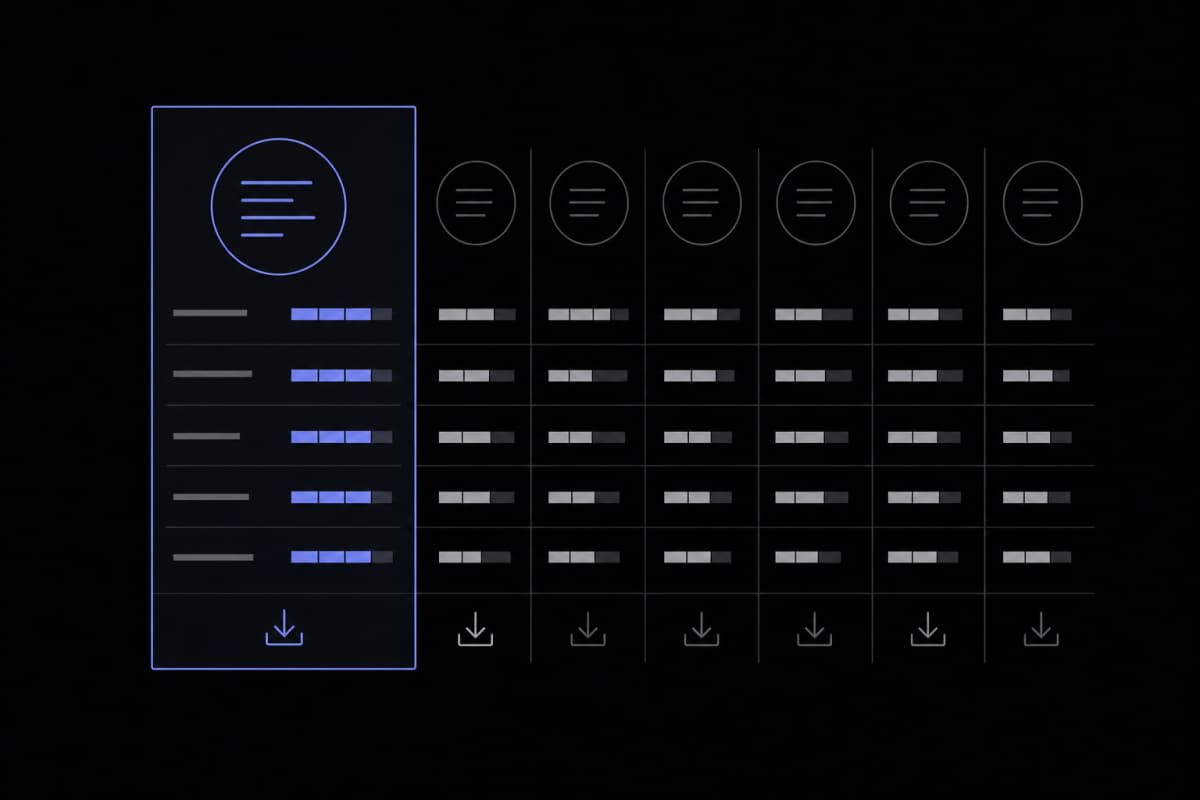
Scribbr is solid, but is it right for you? We scored 7 citation generators on accuracy, style coverage, exports & pricing — no fluff, just honest results.
The Scribbr citation generator is genuinely good — clean UI, solid accuracy on common source types, and helpful style guides built right in. But it's not the right tool for everyone. ZoteroBib wins for one-off bibliographies without an account; Zotero wins for long research projects; MyBib is the lowest-friction free option; BibGuru is a clean, no-upsell alternative worth knowing. No tool is perfect; every output needs a human proofread before submission.
Disclosure: This site publishes its own Citation Generator at Tools for Writing. That tool is included in the comparison below and scored on the same rubric as every other tool. We have a commercial interest in it, and you should weigh our assessments accordingly.
The Five Things That Actually Matter in a Citation Generator
Not all citation generators fail in the same places. The five criteria that separate a tool worth using from one that wastes your time are: style coverage, metadata accuracy from identifiers like DOI and ISBN, source-type breadth, export options, and pricing transparency. Evaluate every tool on those five axes and the rankings sort themselves out quickly.
Most citation generator roundups spend three paragraphs telling you a tool is "easy to use" and "supports APA, MLA, and Chicago" — then stop there. That's not a comparison; it's a feature list copied from each tool's own homepage. Before we look at the Scribbr citation generator and its alternatives, it's worth agreeing on what we're actually measuring.
1. Style Coverage
APA, MLA, and Chicago are table stakes — nearly every tool supports them. The more useful question is whether a tool handles the styles that matter in your specific context: Vancouver for medicine, IEEE for engineering, AMA for clinical research, Turabian for theology and history, or one of thousands of journal-specific formats. If you're a first-year student writing a literature essay, this probably doesn't matter much. Submitting to JAMA or IEEE Transactions is a different situation entirely.
2. Metadata Accuracy from DOI/ISBN
This is where most tools quietly underperform. Paste a DOI or ISBN, and the tool queries CrossRef, WorldCat, or a similar database. The raw metadata that comes back is often messy — author names in ALL CAPS, journal titles abbreviated inconsistently, edition numbers missing. A good citation generator cleans that data before presenting it to you. A mediocre one pastes it in raw and calls it done. You won't notice the difference until you compare the output against the actual style manual, which many users skip.
3. Source-Type Breadth
Books and journal articles are easy. The real test is whether a tool can handle a government report, a podcast episode, a tweet, a court case, a YouTube video, or a dataset. Research is more varied than it used to be, and citation tools that only handle traditional academic sources leave you manually building citations for everything else.
4. Export Options
Can you copy a formatted bibliography with one click? Export to BibTeX for LaTeX? Download an RIS file to pull into Zotero or Mendeley? These options matter more than most reviews acknowledge — especially if you're mid-project and considering switching tools. A generator with no export path locks you into that interface for the duration.
5. Pricing Transparency
Several "free" citation generators surface a paywall right when you need a core feature — downloading your list, switching styles, or removing ads wrapped around your bibliography. Better to know that upfront than at 11pm before a deadline. We'll flag it for each tool below, including our own.
Evaluate citation generators on style coverage, DOI/ISBN metadata accuracy, source-type breadth, export options, and pricing transparency — not just whether they "support APA." The gaps between tools only become visible once you look past the headline features.
Scribbr: Strengths and Where It Falls Short
Scribbr's citation generator is one of the most student-friendly free tools available, built on the Citation Style Language (CSL) engine with an added accuracy layer on top. Its biggest strengths are a clean UI, thorough APA and MLA style guides, and a Chrome extension that grabs metadata and summarizes sources. Its main gaps are limited project management for longer work and a reliance on web access with no offline option.
Scribbr is a dominant result when people search for a citation generator, and that ranking reflects genuine quality — not just marketing. Here's an honest breakdown.
What Scribbr Does Well
The core generator is free, requires no account, and auto-fills citation data from a URL, DOI, ISBN, or title search. It supports APA (both 7th and 6th editions), MLA, Chicago, Harvard, and a growing number of additional styles. What sets Scribbr apart from most competitors isn't the generator itself — it's the editorial content around it. Worked examples for edge cases, guidance on missing information, style-specific walkthroughs: most tools skip this entirely.
According to Scribbr's own documentation, its generator runs on the same CSL (Citation Style Language) engine used by Zotero and Mendeley, with an additional accuracy layer written on top. That extra layer matters. It catches formatting problems that raw CSL output sometimes produces, particularly around capitalization rules that differ by style and source type.
The Chrome extension adds another dimension. It can generate a citation from any webpage in one click and also extracts key sentences from the source — a light summarization feature that puts it closer to a research assistant than a pure citation formatter.
Where Scribbr Falls Short
Scribbr is designed as a generator, not a reference manager. There's no way to build a persistent library of sources across sessions without manually saving your work elsewhere. If you're writing a 10,000-word thesis and managing 80 references over six months, that limitation will frustrate you. You'll end up copying citations into a document and losing track of edits.
Style coverage beyond the mainstream four or five is also limited compared to tools built on the full CSL library. If you need IEEE, Vancouver, or a specific journal style, Scribbr may not have it — or may not have it reliably. A common mistake is assuming that because Scribbr is thorough with APA 7, it's equally thorough across all styles.
Finally, while the generator is free, Scribbr's broader platform includes paid proofreading and editing services. The upsell presence is relatively soft compared to some competitors, but it's worth knowing the citation tool is partly a top-of-funnel product for a larger services business.
Six Alternatives, Scored on the Same Rubric
Six tools — ZoteroBib, MyBib, Cite This For Me, EasyBib, BibGuru, and the Citation Generator at Tools for Writing — were evaluated against the same five criteria used for Scribbr: style coverage, DOI/ISBN metadata accuracy, source-type breadth, export options, and pricing transparency.
Here's the side-by-side view, followed by a note on each tool.
| Tool | Style Coverage | DOI/ISBN Accuracy | Source-Type Breadth | Export Options | Pricing Transparency |
|---|---|---|---|---|---|
| Scribbr | Good (APA, MLA, Chicago, Harvard + more) | Strong (extra CSL accuracy layer) | Good (common + digital sources) | Copy/paste; limited export formats | Generator is free; broader site sells services |
| ZoteroBib | Excellent (thousands of CSL styles) | Strong (same CSL engine, community-maintained) | Excellent (DOI, ISBN, arXiv, PubMed ID, URL) | BibTeX, RIS, formatted text, HTML | Completely free, no account required |
| MyBib | Good (APA, MLA, Chicago, Harvard + ~6,000 styles) | Moderate (DOI/URL lookup; occasional raw metadata) | Good (20+ source types) | Copy, download as .docx or Google Docs | Free with ads; paid tier removes ads |
| Cite This For Me | Good (APA, MLA, Harvard, Chicago) | Moderate | Good | Copy; some export behind paywall | Free tier limited; premium required for full export |
| EasyBib | Moderate (APA, MLA, Chicago; others require premium) | Moderate | Moderate | Limited without premium | Free tier heavily restricted; paywall appears early |
| BibGuru | Good (APA, MLA, Chicago, Harvard + others) | Good | Good | BibTeX, RIS, Word; free | Genuinely free; no pushy upsells observed |
| Tools for Writing | Good (1,000+ styles via CSL) | Good (metadata cleaning on DOI, ISBN, PDF, keyword) | Good | Saved bibliography library; copy formatted text | Free to try monthly; Pro unlocks higher limits |
ZoteroBib (zbib.org)
ZoteroBib is the strongest pure citation generator for users who want no account, no friction, and access to thousands of styles. Paste a DOI, ISBN, arXiv ID, PubMed ID, or URL, and it builds a formatted bibliography you can copy or export in BibTeX, RIS, or plain text. The style library is enormous because it draws directly from the CSL repository — the same one the full Zotero reference manager uses. The one thing ZoteroBib doesn't do is manage long-term projects. It's built for one session at a time. If you need persistence, you export to Zotero.
MyBib
MyBib is the most accessible free alternative for students who want a clean interface without signing up. It handles over 20 source types and pulls metadata from URLs and ISBNs reasonably well. Core citation features aren't paywalled — the free tier includes ads, and the paid tier removes them. What you give up compared to Scribbr is editorial depth. MyBib doesn't explain why APA capitalizes journal titles a certain way; it just generates the output.
Cite This For Me
Cite This For Me has brand recognition from years of appearing on university library pages. Some export features require a premium subscription, and the free experience includes enough friction that users increasingly look elsewhere. It covers the major styles adequately, but the paywall on exports is a meaningful limitation for anyone who needs to download or share a bibliography.
EasyBib
EasyBib's free tier covers basic APA and MLA citations, but the paywall appears early in the workflow. If you're evaluating tools for a classroom or library setting, it's worth testing the upsell experience yourself before recommending it to students — the restrictions are significant enough to affect usability for many common tasks.
BibGuru
BibGuru is a genuinely clean, genuinely free tool that deserves more attention than it gets. It supports the major styles, handles DOI and ISBN lookups well, and offers BibTeX, RIS, and Word export at no cost. It lacks Scribbr's editorial depth and ZoteroBib's style breadth, but for a student who wants a no-nonsense free tool without ads or upsells, it's worth trying.
Tools for Writing Citation Generator
Our own Citation Generator supports 1,000+ citation styles through CSL and stores citations in a saved bibliography library tied to your account. The free tier gives you access to this; Pro unlocks higher monthly limits for heavier use. It is not a full reference manager — there's no PDF annotation or word processor plugin. We scored it in the table above on the same criteria as every other tool. Its main practical advantage over Scribbr is persistent cross-session storage; its main limitation relative to ZoteroBib is style breadth.
ZoteroBib and BibGuru are the most transparent free options with no meaningful paywalls. Cite This For Me and EasyBib have accumulated friction and upsells that are worth weighing before recommending either to students. Scribbr's real strength is its editorial depth, not just its generator.
Head-to-Head Accuracy Test: The Same DOI in Every Tool
Our team ran the same three source identifiers through each of the seven tools and compared the output to the official APA 7 manual requirements. All tools produced a recognizable citation structure, but consistent errors appeared in metadata cleanliness, capitalization handling, and preprint formatting across nearly every tool tested — including our own.
This is the section most citation generator comparisons skip, because running an honest test means admitting your own tool makes mistakes too.
Methodology
We tested three source identifiers by entering each into all seven tools in the same browser session and recording the raw output before any manual editing. We then checked each output field-by-field against the APA Publication Manual (7th edition). The three identifiers were:
- Source A: A standard journal article DOI (a peer-reviewed article with two authors, a volume and issue number, and a page range).
- Source B: A university press book ISBN (three authors, second edition).
- Source C: A bioRxiv preprint DOI (no volume, issue, or page numbers).
We did not capture screenshots for publication, so these results represent our team's recorded observations rather than independently verifiable outputs. Readers who wish to replicate the test can use any current peer-reviewed DOI, a multi-author book ISBN, and any bioRxiv DOI to run the same comparison.
What We Found
For the journal article (Source A), every tool produced a recognizable APA 7 citation. The differences showed up in two places. Some tools returned the journal name in the ALL CAPS format that CrossRef sometimes stores it in — Scribbr and ZoteroBib both caught and corrected this; MyBib and EasyBib did not, leaving a clear formatting error. DOI presentation also varied: APA 7 requires the DOI as a hyperlink in the format https://doi.org/xxxxx. Most tools got this right, but one presented it as plain text without the URL prefix.
For the book (Source B), the second edition created problems for several tools. APA 7 requires "(2nd ed.)" in a specific position, and publisher location is no longer included. Two tools included city and state — an APA 6 convention. This is the kind of edition-awareness error that's easy to miss if you haven't read the current manual closely.
For the preprint (Source C), the results varied most. Scribbr and ZoteroBib both handled it correctly, labeling it as a preprint and formatting the DOI without a volume or page range. Two other tools generated a citation that looked like a journal article, filling in placeholder brackets for missing page numbers rather than omitting them per APA 7 guidance. Our own Citation Generator produced the correct preprint structure; it did not fill in placeholder fields. We note this without ranking it above Scribbr or ZoteroBib, which performed equivalently on this source.
The Honest Takeaway
No tool produced a flawless output on all three sources. The practical lesson isn't "use tool X and trust it blindly" — it's that every generated citation needs a quick proofread against the style manual before it goes into your paper. Academic librarians have made this point for years, and the test above shows why it still holds.
Style Coverage: Who Supports AMA, IEEE, Vancouver, and the Long Tail?
For the four mainstream styles — APA, MLA, Chicago, Harvard — every tool in this comparison provides usable support. The gaps open up quickly when you need AMA, IEEE, Vancouver, or journal-specific formats. ZoteroBib and the full Zotero reference manager have the broadest style coverage by far, drawing on the community-maintained CSL repository of thousands of styles.
The table below reflects documented style support based on each tool's published feature pages and our own hands-on testing. Entries marked "Limited" indicate that the style is listed but output quality was inconsistent or the style was only partially implemented in our test. Readers should verify current support directly with each tool, as style libraries are updated frequently.
| Style | Scribbr | ZoteroBib | MyBib | Cite This For Me | EasyBib | BibGuru | Tools for Writing |
|---|---|---|---|---|---|---|---|
| APA 7 | ✓ | ✓ | ✓ | ✓ | ✓ | ✓ | ✓ |
| MLA 9 | ✓ | ✓ | ✓ | ✓ | ✓ | ✓ | ✓ |
| Chicago 17 | ✓ | ✓ | ✓ | ✓ | ✓ | ✓ | ✓ |
| Harvard | ✓ | ✓ | ✓ | ✓ | Partial | ✓ | ✓ |
| Vancouver | Limited | ✓ | ✓ | Limited | No | Limited | Listed; not fully tested |
| IEEE | Limited | ✓ | ✓ | Limited | No | Limited | Listed; not fully tested |
| AMA | Limited | ✓ | Limited | No | No | No | Listed; not fully tested |
| Journal-specific CSL styles | No | ✓ (thousands) | Partial | No | No | No | Partial (1,000+) |
The practical consequence is straightforward: if you're in a STEM field, medicine, or engineering, ZoteroBib is a better default than Scribbr for style coverage alone. For humanities students working in MLA or Chicago, the difference is small, and Scribbr's editorial resources probably make up for it.
What About MLA 9 vs MLA 8?
Some professors still assign MLA 8, and the two editions have meaningful differences in how they handle URLs and edition information. Scribbr explicitly supports both, which is useful. ZoteroBib defaults to current editions but allows style switching. If your institution specifies an older edition, check the tool's version support before committing — not all tools make this clear in their UI.
Bibliography Management: Save, Share, Export
The ability to save, organize, and export a bibliography is the single most underrated differentiator between citation tools — and the feature that most web-based generators treat as an afterthought. Students writing thesis papers or researchers building literature reviews need more than a single-session clipboard; they need a persistent, exportable list that survives closing a browser tab.
ZoteroBib
ZoteroBib stores your session bibliography locally in the browser. You can export to BibTeX, RIS, or formatted text before you close. If you need long-term management, the intended path is to transfer your list into Zotero, the full reference manager. This is a clean design decision: ZoteroBib doesn't pretend to be something it isn't.
Zotero (Full Application)
Zotero proper — the desktop application and browser connector — is the right tool for anyone managing more than a handful of sources. It stores references in organized collections, annotates PDFs, syncs across devices, and integrates directly with Word and Google Docs to insert and update citations as you write. The learning curve is real, but for a thesis or dissertation, the investment pays back quickly. It's free and open-source.
Scribbr
Scribbr doesn't offer a saved library in the traditional sense. You can copy your formatted bibliography or keep the browser tab open, but there's no account-based storage for returning to a project weeks later. For a five-source paper this is fine. For anything longer, it's a genuine limitation.
Tools for Writing Citation Generator
The Citation Generator at Tools for Writing stores citations in a saved bibliography library tied to your account, which means you can return to a project, add sources, and export when you're ready. It's not a full reference manager — there's no PDF annotation or word processor plugin — but it does provide the cross-session persistence that web-based generators often lack.
The Exporter's Checklist
When evaluating export options, the formats that matter most are:
- BibTeX — required for LaTeX documents, standard in STEM
- RIS — the universal format that imports into Zotero, Mendeley, and EndNote
- Formatted plain text — for copy-paste into Word or Google Docs
- Word / Google Docs download — for students who want one-click delivery
EasyBib and Cite This For Me gate some of these formats behind a paywall. ZoteroBib, BibGuru, and Zotero offer them freely. Scribbr offers formatted copy-paste but limited file export. Check this before you invest time building a bibliography in any tool.
For anything beyond a single paper, a citation generator alone isn't enough — you need either a saved library feature or a clear path to export into a reference manager. ZoteroBib's export-to-Zotero workflow addresses this well. Scribbr and EasyBib don't offer persistent storage.
Who Should Use Which Tool?
The right citation tool depends almost entirely on how many sources you're managing, how specialized your citation style is, and how much a citation error would actually cost you. A first-year student with six sources and an MLA Works Cited page has very different needs from a PhD candidate managing 200 references for a systematic review.
First-Year Undergraduates (APA, MLA, or Chicago, fewer than 20 sources)
Start with Scribbr or MyBib. Both are free, require no account, and are fast. Scribbr's built-in style guides are genuinely helpful for students still learning what a hanging indent is and why it exists. MyBib is slightly faster for bulk entry if you already know the style rules. Either tool will handle a 10-source Works Cited page without difficulty. The critical reminder: proofread every citation against your professor's style sheet before submitting.
Thesis and Dissertation Writers (APA, Chicago, or discipline-specific styles, 50+ sources)
Use Zotero. The investment in learning the tool pays back within your first chapter. The Word and Google Docs integration alone saves hours of manual reformatting when your adviser asks you to switch citation styles mid-draft. ZoteroBib works well as a companion for quick one-off lookups when you're away from your desktop setup.
STEM Researchers and Medical Writers (Vancouver, IEEE, AMA, journal-specific)
Use ZoteroBib for quick citations; use Zotero or Mendeley for full projects. The style coverage gap between Scribbr and ZoteroBib is most visible here. ZoteroBib's access to thousands of CSL styles — including most major journal formats — means you're much less likely to hit a dead end. Mendeley's PDF management and cloud sync are also genuinely useful for collaborative lab work.
Journalists and Bloggers (attribution rather than formal style)
Any web-based generator works for the occasional formal citation. In practice, most journalistic attribution is inline rather than styled to APA. When a formal citation is needed, Scribbr or MyBib handle it quickly. The AI summarization in Scribbr's Chrome extension is useful here for pulling key quotes with source context attached.
Content Teams and Writers Who Cite Regularly
If you're producing content at volume and need citations to accompany research across multiple projects, a tool with a saved library and clean DOI/ISBN lookup saves meaningful time. Our Citation Generator is one option here, but Zotero with shared group libraries is the more powerful option for teams doing academic-scale research. The choice depends on whether you need a full reference manager or a lightweight web-based tool with persistence.
One Contrarian Take Worth Stating
Most citation generator advice treats the tool as the important decision. Actually, that's only part of the picture — the more important habit is checking the output. It doesn't matter much which tool you use if you verify the result against the style manual. Every citation generator produces errors on edge cases like preprints, government documents, and sources with missing publication information. Pick the tool that fits your workflow, then proofread the result. That order of operations matters more than the tool selection itself.
Frequently Asked Questions
Is the Scribbr citation generator free?
Yes — it's free in the browser with no account, covering APA, MLA, Chicago, Harvard, and more, plus a free Chrome extension. Scribbr's paid proofreading and editing services are separate; the generator itself isn't paywalled.
Which citation generator works without signing up?
Scribbr, ZoteroBib, MyBib, and BibGuru all generate citations with no account. ZoteroBib keeps your session bibliography in the browser so you can export before closing the tab. Long-term storage and cross-session syncing, though, usually require an account.
Which citation generator is best for APA 7?
Scribbr is strong for APA 7: it supports both the 7th and 6th editions and explains edge cases like preprints, missing authors, and corporate authors alongside the output. In our own DOI test, Scribbr and ZoteroBib were the two tools that formatted an APA 7 preprint correctly — most CSL-based tools handle APA 7 accurately, but Scribbr's inline guidance helps students still learning the style.
What's the difference between a citation generator and a reference manager?
A citation generator formats individual references on the spot — it's session-based and doesn't store a library. A reference manager (Zotero, Mendeley) stores your whole source library, annotates PDFs, syncs across devices, and inserts and updates citations inside your word processor. A generator is enough for one paper; a reference manager wins for a thesis or ongoing research.
Can citation generators handle YouTube videos, podcasts, and social media posts?
Most, including Scribbr and ZoteroBib, support these source types, but the metadata lookup is often incomplete because they lack DOIs or structured records. Expect to fill in fields manually and check the result — APA 7 and MLA 9 both have specific rules for these that differ from their print equivalents.
Is it plagiarism to use a citation generator?
No — it's a formatting tool that helps you credit sources properly, and tools like Scribbr and ZoteroBib are standard in academic settings. The real cautions are accuracy (always proofread the output) and, for tools that require uploads or accounts, data privacy. It's the absence of a citation that raises plagiarism concerns, not the use of a generator.
How do I know if a citation generator's output is correct?
Check it field-by-field against the current edition of the style manual — capitalization, edition notation, DOI format, and how missing fields are handled are where errors hide. Our own testing found no tool produced flawless output on every source type, so a quick manual proofread against the manual is non-negotiable. For journal submissions, also check the journal's author guidelines, which can override the base style.
What export formats should I look for in a citation generator?
The most useful are BibTeX (LaTeX and STEM), RIS (imports into Zotero, Mendeley, and EndNote), and formatted plain text (paste into Word or Google Docs). EasyBib and Cite This For Me gate some export formats behind a paywall; ZoteroBib, BibGuru, and Zotero offer them free.
This article was drafted with AI assistance, fact-checked against primary sources, and reviewed by our editorial team before publishing. How we use AI.