

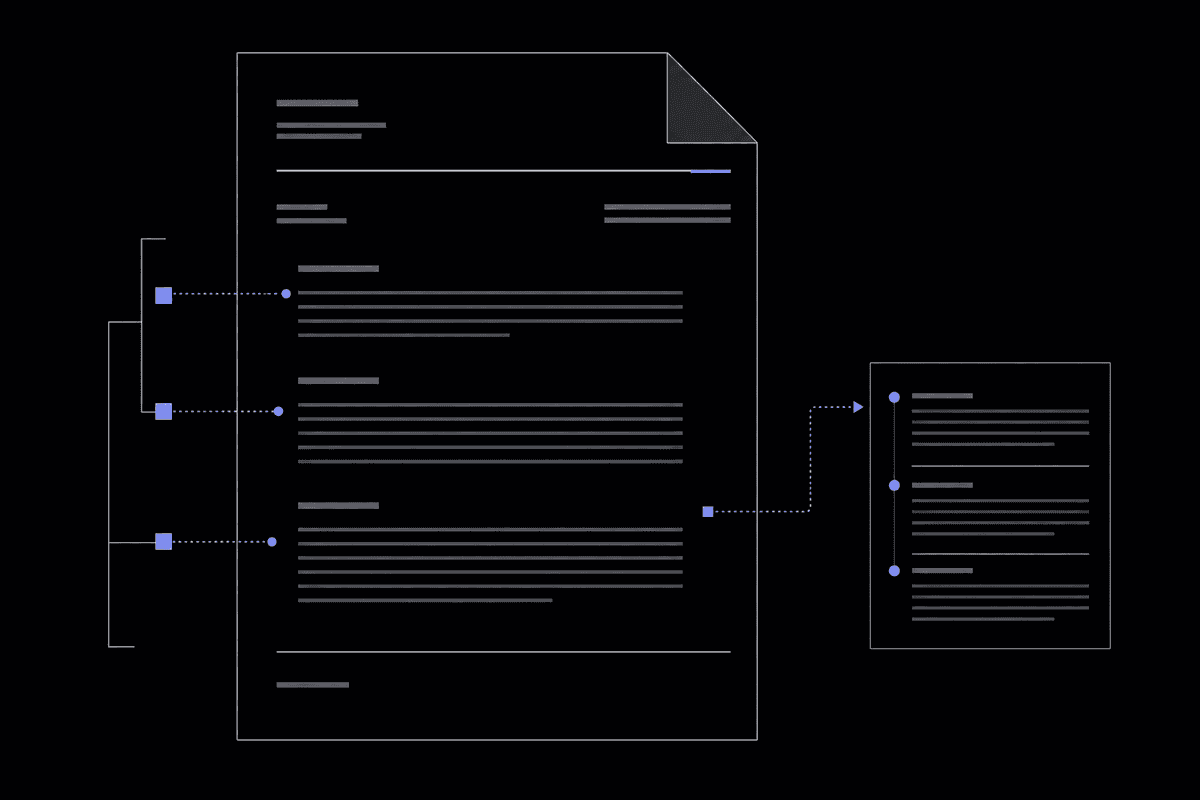
Master MLA format for essays in 2026: headers, in-text citations, Works Cited, and common mistakes—all based on the MLA Handbook 9th Edition.
MLA format is the standard citation style for humanities essays, governed by the MLA Handbook 9th Edition. Set up your document with 1-inch margins, 12pt Times New Roman, and double spacing throughout. Every page needs a running header with your last name and page number in the upper right corner, and your first page needs a four-line heading plus a centered title. In-text citations follow the author-page format (Smith 45), and your Works Cited page lists every source alphabetically with hanging indents.
What is MLA Format and When Should You Use It?
MLA format is a set of writing and citation guidelines created by the Modern Language Association, used primarily in humanities disciplines like English, literature, cultural studies, and foreign languages. As of 2026, the current standard is the MLA Handbook 9th Edition, which governs everything from page margins to how you cite a TikTok video. Teachers, professors, and academic journals in the humanities typically require it when they want consistent, readable attribution of sources.
If you've ever stared at a blank Word document wondering whether your essay title should be bolded, italicized, or just left alone, you already know the specific frustration MLA format creates for students. The rules feel arbitrary until you understand the logic behind them. MLA prioritizes simplicity and readability over elaborate formatting — which is actually a relief once you internalize it.
The Modern Language Association first published its style guide in 1951, and the system has evolved considerably since then. The 9th Edition, released in 2021 and still the authoritative standard in 2026, introduced a more flexible "container system" for citations that works across digital and print sources. That was a significant shift from earlier editions, which required memorizing separate formats for dozens of source types.
So when exactly do you need MLA? The short answer: whenever your instructor or publication says so. In practice, MLA is the default for:
- English literature and composition courses
- Comparative literature and cultural studies papers
- Foreign language essays
- Film studies and media criticism
- Some philosophy and interdisciplinary humanities courses
Courses in the social sciences typically use APA format, while history and some humanities journals prefer Chicago style. If your syllabus doesn't specify, ask your instructor directly. Submitting an APA-formatted essay to a literature professor who expects MLA is the kind of detail that chips away at your grade even when the writing itself is strong.
One thing that trips up students: MLA does not require a separate title page. Unlike APA, which typically opens with a formatted cover page, an MLA essay puts all your identifying information directly on the first page of the document. This keeps things simple, but it also means that first page needs to be formatted precisely — there's nowhere to hide a mistake.
What most people miss is that MLA isn't just about citations. The format governs the entire document: margins, font choice, line spacing, how you introduce block quotes, even how you capitalize your essay title. Treating it as "just a citation style" is how formatting errors slip through unnoticed.
The MLA Style Center at style.mla.org is the official online home for updated guidelines, and Purdue OWL (owl.purdue.edu) remains one of the most widely trusted secondary references for students in 2026. Both are worth bookmarking before you start any humanities paper.
Does MLA format change by discipline?
Slightly. While the core rules stay the same, some disciplines add conventions on top of MLA. A film studies paper might require more detailed source information for films, while a comparative literature essay might need to cite translated works in a specific way. Always check whether your department has a style sheet that supplements the standard MLA guidelines.
MLA format is the standard for humanities writing, governed by the 9th Edition handbook. It applies to the entire document, not just citations, and does not require a title page.
How Do You Set Up MLA Format in a Document?
Setting up an MLA format essay requires 1-inch margins on all sides, 12-point Times New Roman font, double spacing throughout the entire document (including the Works Cited page), and a half-inch paragraph indent for the first line of each new paragraph. These settings apply from the very first line to the very last entry on your Works Cited page without exception.
Getting the page setup right before you write a single word saves a lot of frustration later. Here's exactly how to configure a document in Microsoft Word or Google Docs to meet MLA paper format standards.
Margins: Set all four margins — top, bottom, left, right — to exactly 1 inch. In Word, go to Layout > Margins > Normal, which defaults to 1 inch. In Google Docs, go to File > Page Setup and confirm each margin field reads 1.0. Don't assume the default is correct; some templates ship with 1.25-inch side margins that look fine on screen but fail the technical check.
Font and size: Use 12-point Times New Roman. This is the universal standard cited across every major MLA reference, from Purdue OWL to the official MLA Style Center. Some instructors accept Arial or Courier New as alternatives, but Times New Roman is the safest choice. Keep the font consistent throughout the entire document — headers, captions, and the Works Cited page included.
Line spacing: Double-space everything. Select all text (Ctrl+A or Cmd+A), then set line spacing to 2.0. There should be no extra spacing between paragraphs. A common mistake is leaving Word's default "space after paragraph" setting on, which adds a visual gap between paragraphs that violates MLA format. Fix it by setting "Space After" to 0pt under Paragraph settings.
Paragraph indentation: Indent the first line of every new paragraph by half an inch. Use the Tab key if it's configured correctly, or manually set a first-line indent of 0.5 inches in the paragraph settings. Don't use the spacebar to create indents. Spacebar indentation looks inconsistent when printed and is immediately visible to instructors who read a lot of student papers.
Page numbers: Add automatic page numbers in the header area, positioned in the upper right corner. Your last name should appear directly before the number with a single space between them. Use the header tool in your word processor rather than typing numbers manually — manual page numbers don't update when you add or remove content.
One useful step after writing is to check for leftover formatting inconsistencies, especially if you've pasted content from multiple sources. A tool like the Remove Extra Spaces tool can catch stray whitespace that's easy to miss during revision.
After setup, do a quick visual check: every line in the document should sit at the same vertical distance from the one above it. If any section looks tighter or looser than the rest, your spacing isn't consistent. According to Purdue OWL's 2026 guidelines, the double-spacing requirement applies to every element of the document, including the header block, the title, block quotations, and the Works Cited entries. No section gets compressed or single-spaced.
Should I use a template?
Using a pre-configured MLA template from Google Docs or Word can help, but always verify each setting manually before submitting. Templates get modified by users and may not reflect current 9th Edition standards. It takes about three minutes to check margins, font, and spacing yourself — and that verification is always worth it.
Configure your document before writing: 1-inch margins, 12pt Times New Roman, double spacing with no extra paragraph spacing, and half-inch first-line indents. These settings apply to every single page.
What Does an MLA Header Look Like?
An MLA format essay has two distinct header elements: a four-line heading block on the first page only (your name, instructor's name, course name, and due date, all left-aligned and double-spaced), and a running header on every page that shows your last name and the page number in the upper right corner, placed half an inch from the top of the page.
The MLA header format confuses students precisely because there are two separate things both called "the header." Let's separate them clearly.
The first-page heading block appears at the top left of page one, above your essay title. It follows this exact order, each item on its own line:
- Your full name (e.g., Sarah Johnson)
- Your instructor's name, with their appropriate title (e.g., Professor Michael Torres)
- The course name and number (e.g., ENGL 102: Introduction to Literature)
- The due date in day-month-year format (e.g., 15 April 2026)
All four lines are double-spaced, left-aligned, and in the same 12pt Times New Roman as the rest of the document. After these four lines, double-space once more and place your essay title, centered, in title case. Then double-space again and begin your first paragraph.
Here's a visual example of the first-page layout:
Sarah Johnson
Professor Michael Torres
ENGL 102: Introduction to Literature
15 April 2026

                    The Weight of Silence in Poe's Gothic Fiction

     Edgar Allan Poe constructed his most unsettling effects not through action...
Notice that the title is centered and written in standard title case with no special formatting. No bold, no italics, no quotation marks, no underline. If your title includes the name of another work, that specific title gets italicized while the rest stays plain. For example: The Unreliable Narrator in The Tell-Tale Heart and Other Stories would have the short story collection italicized but the surrounding title text left alone.
The running header is a separate element entirely. It appears in the document's actual header area, positioned in the upper right corner, half an inch from the top of the page. It reads: LastName PageNumber, with a single space between them. No "p." before the number. No comma. Just: Johnson 1, Johnson 2, Johnson 3, and so on.
This running header appears on every page, including the first. Some instructors ask students to omit it from page one, but the MLA standard includes it throughout. If your instructor specifies otherwise, follow their instructions over the general guideline.
When setting this up in Word, go to Insert > Header, type your last name, then insert an automatic page number (Insert > Page Number > Current Position). This ensures the number updates automatically if you add pages.
If you want to verify your title casing before submitting, the Case Converter tool can convert your title to proper title case instantly — especially helpful for longer essay titles with prepositions and conjunctions that are easy to miscapitalize.
Do you need a title page for an MLA essay?
No. MLA format does not require a separate title page for standard essays. The four-line heading block on page one serves as your identifying information. The only exceptions are group projects or when an instructor explicitly requires a cover page, in which case you'd include the same four-line information on a separate page, centered vertically.
How Do You Write MLA In-Text Citations?
MLA in-text citations use the author's last name and the page number in parentheses, placed before the closing punctuation of the sentence: (Smith 45). If you mention the author's name in the sentence itself, include only the page number in parentheses: (45). For sources without page numbers, such as most websites, use just the author's last name: (Smith).
The MLA citation system is built around one core idea: give readers just enough information to locate the full source in your Works Cited page. That's why in-text citations are minimal. They don't need to repeat the title, year, or publication — all of that lives in the Works Cited entry.
Basic parenthetical citation: Place the author's last name and page number in parentheses at the end of the sentence, before the period.
Example: Gothic fiction frequently uses confined spaces to represent psychological entrapment (Poe 83).
Signal phrase citation: If you introduce the author's name in the text itself, only the page number goes in parentheses.
Example: Poe argues that the confined setting reflects the narrator's fractured mind (83).
Both formats are correct. Mixing them throughout a paper is actually good practice — it creates stylistic variety and avoids the monotony of ending every sentence with a parenthetical.
Two authors: Include both last names: (Johnson and Williams 112).
Three or more authors: Use the first author's last name followed by "et al.": (Garcia et al. 47). Note that "et al." is not italicized in MLA 9th Edition citations.
No author listed: Use a shortened version of the title in quotation marks (for articles) or italics (for books): ("Climate Patterns" 14) or (Environmental Studies 22).
No page numbers (websites, videos): Use only the author's last name: (Smith). If there's no author, use the shortened title.
Multiple works by the same author: Add a shortened title to distinguish them: (Poe, "Tell-Tale" 83) versus (Poe, "Raven" 12).
Block quotes follow slightly different rules. When a quotation runs longer than four lines of prose (or three lines of poetry), set it off as a block quote: indent the entire passage half an inch from the left margin, omit quotation marks, and place the parenthetical citation after the closing punctuation of the last sentence — not before it. This is one of the few places in MLA where the citation comes after the period rather than before.
Two mistakes appear constantly in student papers. First, adding a comma between the author name and page number: (Smith, 45) is wrong. MLA uses no punctuation between the two elements. Second, adding "p." or "pg." before the number. Just the number. That's all MLA wants.
Once your draft is complete, running it through a Punctuation Checker can catch spacing errors around parenthetical citations that are easy to overlook during revision.
What if a source has no author and no title I can use?
This is rare, but it happens with some institutional web pages. In that case, cite the organization or website name as the author in your in-text citation and Works Cited entry. For example, if you're citing a page from the Centers for Disease Control, you'd use (Centers for Disease Control) in the text and list the organization as the author in Works Cited.
MLA in-text citations follow the author-page format with no comma between them. Use signal phrases to vary your writing and avoid the mechanical look of parentheticals at the end of every sentence.
How Do You Format an MLA Works Cited Page?
The Works Cited page starts on a new page at the end of your essay, with "Works Cited" centered at the top in the same font and size as the rest of the document (no bold, no italics). Each entry uses a hanging indent (the first line is flush left, and subsequent lines are indented half an inch), and all entries are alphabetized by the author's last name.
The Works Cited page is where many students lose points — not because they can't find the information, but because the formatting details are finicky and easy to get wrong. Here's a systematic approach.
Page setup: The Works Cited page continues the same running header, margins, font, and double spacing as the rest of the document. Start it on a new page by inserting a manual page break (Ctrl+Enter) at the end of your essay text. Don't just hit Enter repeatedly until you reach a new page — that creates a formatting problem if you later edit the body text.
The hanging indent: Every Works Cited entry uses a hanging indent. The first line of each entry starts at the left margin, and any continuation lines are indented half an inch. In Word, select all your Works Cited entries, open the Paragraph settings, and under Special Indentation, choose "Hanging" and set it to 0.5 inches. This is almost universally the most botched element of the Works Cited page — students either indent the wrong lines or skip the hanging indent entirely.
Alphabetization: Entries are alphabetized by the first element of each citation, which is usually the author's last name. If an entry has no author, alphabetize by the first significant word of the title (ignoring "A," "An," and "The"). Multiple works by the same author are alphabetized by title, and after the first entry, subsequent entries replace the author name with three hyphens (---) followed by a period.
The 9 core elements of MLA 9th Edition citations: Rather than memorizing separate formats for every source type, MLA 9th Edition asks you to identify the relevant elements from this list and include whichever apply:
- Author
- Title of source
- Title of container (the larger work the source sits within, like a journal or anthology)
- Other contributors (editors, translators)
- Version or edition
- Number (volume, issue)
- Publisher
- Publication date
- Location (page numbers, URL, DOI)
Not every element appears in every citation. A book might not have a container. A website might not have a volume number. You simply include the elements that exist and skip the ones that don't.
After formatting your Works Cited entries, check whether any lines have inconsistent spacing or invisible characters. Copying and pasting from databases or websites often introduces hidden formatting. The Invisible Character Detector can flag zero-width spaces and other hidden Unicode characters that cause alignment problems in citation entries.
According to Scribbr's 2026 MLA formatting guide, hanging indents are among the top three most frequently missed formatting requirements on student Works Cited pages. It's a detail that's simple once you know where to find it in your word processor — but invisible if you don't know to look.
How many sources do I need on the Works Cited page?
Only cite sources you actually referenced in the body of your essay. Every in-text citation needs a corresponding Works Cited entry, and every Works Cited entry needs at least one in-text citation. If you consulted a source but didn't cite it, it doesn't belong on the Works Cited page. MLA doesn't use a "Bibliography" or "References" section for general background reading.
MLA Format Examples for Common Source Types
MLA Works Cited entries follow the nine-element framework from the MLA Handbook 9th Edition, with the specific elements varying by source type. Books, journal articles, websites, videos, and AI-generated content each follow a recognizable pattern that you can apply consistently once you understand the container logic.
Here are properly formatted MLA Works Cited examples for the most common source types students encounter in 2026:
Book (single author):
Fitzgerald, F. Scott. The Great Gatsby. Scribner, 1925.
Book (two authors):
Gilbert, Sandra M., and Susan Gubar. The Madwoman in the Attic: The Woman Writer and the Nineteenth-Century Literary Imagination. Yale UP, 1979.
Journal article (print):
Morrison, Toni. "Unspeakable Things Unspoken: The Afro-American Presence in American Literature." Michigan Quarterly Review, vol. 28, no. 1, 1989, pp. 1–34.
Journal article (with DOI):
Chen, Wei, and Aisha Patel. "Digital Literacy in Secondary Education." Journal of Educational Technology, vol. 44, no. 3, 2025, pp. 112–128. https://doi.org/10.xxxx/xxxxxxxx.
Website (with author):
Kendi, Ibram X. "The Difference Between Being 'Not Racist' and Antiracist." The Atlantic, 30 Jan. 2020, www.theatlantic.com/ideas/archive/2020/01/not-racist-vs-antiracist/605535/.
Website (no author):
"MLA Formatting and Style Guide." Purdue Online Writing Lab, Purdue University, 2026, owl.purdue.edu/owl/research_and_citation/mla_style/mla_formatting_and_style_guide/mla_general_format.html.
YouTube video:
CrashCourse. "Hamlet: Character Overview." YouTube, 10 Mar. 2024, www.youtube.com/watch?v=xxxxxxxxxx.
AI-generated content (2026 update): Citing AI tools is one of the newest areas of MLA guidance. As of 2026, the MLA Style Center recommends treating the AI tool as the author and including a description of your prompt:
"Explain the themes of alienation in Franz Kafka's The Metamorphosis." ChatGPT, OpenAI, 4 Mar. 2026, chat.openai.com.
Always check whether your instructor permits AI sources at all before including them. Many courses in 2026 have explicit policies about AI use that supersede general MLA guidance.
For website citations specifically: include an access date when the content is likely to change or lacks a clear publication date. Add "Accessed" followed by the date at the end of the entry — for example, Accessed 10 Apr. 2026.
If you're working on writing that extends beyond academic essays, the Resume Format Guide 2026 covers similar structural principles that apply in professional document contexts.
The nine-element MLA container system applies to all source types. Include the elements that exist for each source, skip those that don't, and always follow the exact punctuation pattern — periods, commas, italics — that separates each element.
What Are the Most Common MLA Formatting Mistakes?
The most frequent MLA formatting errors include incorrect hanging indents on the Works Cited page, adding extra space between paragraphs, bolding or italicizing the essay title, misplacing the running header, and putting a comma between the author name and page number in in-text citations. These mistakes are easy to make and surprisingly easy to fix once you know what to look for.
Graders who read dozens of student papers develop a quick eye for these patterns. Here are the errors that appear most often, and what causes them:
1. Extra spacing between paragraphs. Microsoft Word's default settings add 8pt or 10pt of space after each paragraph. In MLA format, paragraphs are separated only by double spacing — no additional gaps. Students frequently submit papers that look double-spaced but actually have extra paragraph breaks built in. Fix it by selecting all text and setting "Space After" to 0pt in the paragraph settings.
2. Wrong Works Cited indentation. Many students indent the first line of each Works Cited entry instead of creating a hanging indent, where continuation lines indent. The result is the opposite of what MLA requires. This is almost always a word processor configuration issue, not a misunderstanding of the rule itself.
3. Bolding or italicizing the essay title. Because essays are written about books and films that require italics, students sometimes assume their own title needs formatting too. It doesn't. Your essay title is centered and plain. Only a title embedded within your title — like a novel name — gets italicized.
4. Using "p." before page numbers. Both in-text citations and Works Cited entries should use bare page numbers without "p." or "pg." prefixes. This is one of the most consistent errors across student papers at all levels.
5. Forgetting to start the Works Cited on a new page. The Works Cited section begins on a fresh page, not immediately after the last line of your essay. Insert a page break — not extra blank lines.
6. Mixing citation formats within a paper. Some students use APA-style year citations (Smith, 2023) instead of MLA page citations (Smith 45), especially when they've been writing papers in other formats recently. Consistency within a single paper is non-negotiable.
7. Citing sources in Works Cited that aren't in the text, or vice versa. Every in-text citation needs a Works Cited entry, and every Works Cited entry needs at least one in-text citation. Orphaned entries in either direction are a sign the paper wasn't proofread carefully.
8. Incorrect date format. MLA uses day-month-year format in the heading block (15 April 2026) and in citations. American-style month/day/year is wrong for MLA purposes. The month is spelled out or abbreviated, not written as a number.
Before submitting, run your essay through the Writing Workspace (free word counter) to verify your paper meets any minimum length requirements, and use the Readability Checker to confirm the writing reads clearly at an academic level. Format and content both matter.
For a broader look at cleaning up inconsistencies in any written document, the Text Cleaning Tricks Every Writer Needs in 2026 guide covers practical techniques that apply well beyond MLA formatting.
MLA vs. APA vs. Chicago: How Do They Differ?
MLA, APA, and Chicago style differ mainly in their citation format, title page requirements, and the fields that use them. MLA uses author-page citations and is standard in humanities. APA uses author-year citations and is standard in social sciences. Chicago offers two systems (notes-bibliography and author-date) and is common in history and some humanities journals.
Choosing the wrong citation style is one of those errors that signals to a reader that the writer either didn't read the submission guidelines or didn't take them seriously. Here's a clear comparison to help you identify which system you're working in:
| Feature | MLA (9th Edition) | APA (7th Edition) | Chicago (17th Edition) |
|---|---|---|---|
| Primary discipline | Humanities, literature, languages | Social sciences, psychology, education | History, some humanities, journalism |
| In-text citation format | Author page (Smith 45) | Author, year (Smith, 2023) | Footnotes/endnotes or author-year |
| Reference page title | Works Cited | References | Bibliography |
| Title page required? | No (four-line heading instead) | Yes (separate title page) | Usually yes |
| Author name format | Last, First (Works Cited only) | Last, First Initial (e.g., Smith, J.) | Last, First (bibliography) or First Last (notes) |
| Year placement | At end of Works Cited entry | Immediately after author name | Near end of footnote or bibliography entry |
| Running header | Last name + page number | Abbreviated title + page number | Typically not required |
The practical difference that trips up students most often is the in-text citation format. APA's author-year system reflects a social science priority: knowing when a study was published matters for evaluating how current it is. MLA's author-page system reflects a humanities priority: knowing exactly where in a text a claim appears matters for close reading and textual analysis. Chicago's footnote system allows for discursive notes that add commentary without interrupting the main text — a feature that suits historical writing, which often requires extensive contextual explanation.
If you're switching between courses that use different citation styles in the same semester (very common in junior and senior years), the most efficient approach is to keep a printed quick-reference card for each style visible while you write. The differences are small but consequential, and mixing elements from two styles produces citations that satisfy neither.
As of 2026, the MLA Handbook 9th Edition, APA Manual 7th Edition, and Chicago Manual 17th Edition are the current authoritative versions of each style. Any older print handbook you find in a used bookstore may contain outdated citation formats, particularly for digital sources, which have changed significantly across all three systems in recent years.
Which style is easiest to learn?
Many students find MLA the most approachable for first-time citation work because the in-text format is simpler (just author name and page number) and the lack of a required title page reduces setup complexity. APA's author-year system becomes second nature quickly for students in psychology or sociology, where the currency of sources is genuinely important. Chicago's footnote system has a steeper learning curve but offers more flexibility for complex, heavily annotated writing.
Frequently Asked Questions
What does MLA style look like?
An MLA format essay is a clean, double-spaced document in 12pt Times New Roman with 1-inch margins on all sides. The first page opens with a four-line left-aligned heading (your name, instructor, course, and date), followed by a centered essay title and then the body paragraphs with half-inch first-line indents. Every page has a running header in the upper right corner showing your last name and the page number. The document closes with a Works Cited page listing all sources alphabetically in hanging-indent format.
Is MLA format 1.5 or 2.0 line spacing?
MLA format requires 2.0 line spacing (double spacing), not 1.5. This applies throughout the entire document, including the four-line heading block on the first page, the essay body, block quotations, and the Works Cited page. There are no exceptions. Using 1.5 spacing is a common mistake, especially because some word processors default to it, but it does not meet MLA standard requirements.
Do I need a title page for an MLA essay?
No. Standard MLA format does not require a separate title page. Instead, your identifying information appears as a four-line heading block at the top of the first page, followed by your centered essay title. The only exceptions are group projects or situations where an instructor specifically requests a title page, in which case you'd put the same four-line information on a separate page, centered on the page.
How do I cite a website with no author in MLA format?
When a website has no identifiable author, begin the Works Cited entry with the title of the article or page in quotation marks, followed by the title of the website in italics, the publisher or sponsoring organization, the publication or last-updated date, and the URL. In your in-text citation, use a shortened version of the article title in quotation marks: ("Climate Data Overview" 3) for a page with numbered sections, or simply ("Climate Data Overview") if no page or section numbers are available.
How do I format the MLA Works Cited page correctly?
Start the Works Cited page on a new page at the end of your essay. Center "Works Cited" at the top in plain text (no bold, italics, or quotation marks). Use the same font, margins, and double spacing as the rest of your document. Format each entry with a hanging indent: the first line flush left, all continuation lines indented half an inch. Alphabetize entries by the author's last name, or by title if no author is listed.
What font should I use for MLA format?
Use 12-point Times New Roman throughout your MLA essay. This is the standard font recommended by the MLA Handbook 9th Edition and cited by every major academic writing resource including Purdue OWL. Some instructors accept Arial or Courier New as alternatives, but Times New Roman is the safest and most universally accepted choice. Use the same font for all elements of the document, including the header block, title, body text, and Works Cited entries.
How do I cite AI-generated content in MLA format in 2026?
As of 2026, the MLA Style Center recommends treating the AI tool as the author and documenting the prompt you used. A basic format looks like this: "Your prompt text here." AI Tool Name, Company Name, Date you accessed it, URL. Always verify whether your course or institution permits citing AI-generated content before including it, as many academic policies in 2026 restrict or prohibit its use in graded work.
Can I use headings and subheadings in an MLA essay?
Headings and subheadings are optional in MLA format and aren't required for standard essays. When used, they should be written in title case, left-aligned, and formatted in the same font and size as the body text without periods at the end. MLA does not define multiple heading levels with different formatting, so keep all headings visually consistent. Headings are most appropriate in longer research papers or reports where they genuinely help readers navigate distinct sections.
This article was drafted with AI assistance, fact-checked against primary sources, and reviewed by our editorial team before publishing. How we use AI.