

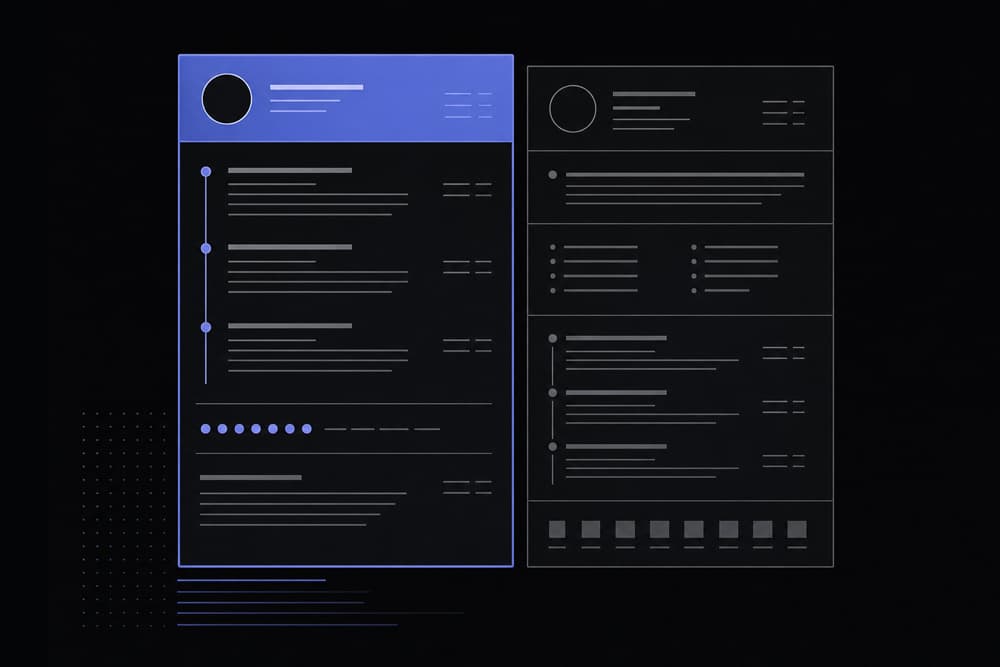
Not all resume formats are equal—chronological earns a 96% ATS pass rate while functional scores just 66%. Find out which format wins for your situation.
The three main resume formats are chronological, functional, and hybrid. Chronological resumes work best for candidates with steady, uninterrupted work histories and earn an ATS pass rate of 96%. Functional resumes suit career changers or those with employment gaps, but recruiters view them negatively in 63% of cases, and they pass ATS screening only 66% of the time. The hybrid format balances skills and experience, making it the most versatile choice for most job seekers in 2026, with a 94% ATS pass rate.
What Are the Three Main Resume Formats?
The three main resume formats are chronological (which lists work history in reverse date order), functional (which leads with skills and de-emphasizes dates), and hybrid or combination (which merges a skills summary with a reverse-chronological work history). Each format serves a different candidate profile, and choosing the wrong one can quietly torpedo your application before a human ever reads it.
Pick up any resume and you're looking at a structural argument. The order in which information appears tells a story — about your trajectory, your priorities, and sometimes what you'd prefer a recruiter not notice right away. Hiring managers and ATS systems read that story very differently depending on how it's arranged, which is why format is a rhetorical decision as much as an aesthetic one.
The chronological resume is exactly what it sounds like. You list your most recent job first and work backward through your career history. Each role gets its own entry with a title, employer name, dates, and bullet points describing what you accomplished. This format is the most familiar to recruiters, which is a significant advantage in itself. Familiarity breeds trust, at least in hiring.
The functional resume, sometimes called a skills-based resume, flips the script. Instead of leading with where you worked, it leads with what you can do. A typical functional resume groups skills into categories near the top of the page and pushes work history toward the bottom, sometimes with very little detail. The idea is to let your abilities speak louder than your job titles or the gaps between them.
The hybrid resume, also called a combination resume, does both. It typically opens with a professional summary and a core competencies section, then transitions into a full reverse-chronological work history. The skills section anchors the top of the page, while the detailed experience section reassures recruiters that there's real substance behind those skill labels.
Each format has a natural audience. As of 2026, the hybrid format has become the dominant choice among career coaches and professional resume writers, partly because it satisfies both the algorithmic demands of applicant tracking systems and the human instinct to verify claims with evidence. Knowing when to use each format, though, is the real skill — and that's what the sections below break down.
Why does format matter more than design?
Many job seekers spend hours picking fonts and color schemes while ignoring structure entirely. A beautifully designed resume in the wrong format can be completely invisible to an ATS, or deeply confusing to a recruiter who spends an average of six to eight seconds scanning a page. Format is the foundation. Design is the paint on the walls.
Chronological Resume: When Does It Work Best?
A chronological resume works best for candidates with a consistent, upward career trajectory in a single field, no significant employment gaps, and relevant job titles that align directly with the role they are applying for. It earns the highest ATS pass rate of any format at 96%, making it the safest structural choice when your history supports it.
The chronological resume has been the default format for decades because it aligns with how people naturally process career narratives: start at the most recent point and follow the thread backward. Recruiters are trained on this format. ATS software is optimized for it. When your career history tells a clean, compelling story, there's genuinely no better option.
The ideal candidate for a chronological resume looks something like this: someone who has spent the last ten years climbing the ladder in marketing, moving from coordinator to manager to director, with no significant gaps and each role clearly building on the last. Every bullet point in their experience section reinforces the next role they're applying for. The format works because the structure mirrors the story.
Structural breakdown of a chronological resume
A standard chronological resume follows this order:
- Contact information (name, phone, email, LinkedIn, city/state)
- Professional summary (two to four sentences positioning your value)
- Work experience (reverse-chronological, with accomplishment-focused bullet points)
- Education
- Optional sections (certifications, publications, volunteer work)
Notice there's no standalone skills section near the top. Skills are woven into the bullet points under each job, where they carry contextual weight. Saying you "managed a $2M product launch" communicates project management far more powerfully than a line that simply reads "Project Management" in a skills box.
Pros of the chronological format
Recruiters recognize it immediately and can scan it in seconds. ATS systems parse it reliably because the structured fields — employer, title, dates — map cleanly to the system's data fields. It demonstrates career progression visually, which is one of the first things a hiring manager looks for. And because it's familiar, it creates zero friction in the reading process.
Cons and the one situation where it backfires
The chronological format has one significant weakness: it puts your timeline on display. Employment gaps, frequent job changes, or roles that seem off-topic all become hard to obscure. A candidate who spent 18 months freelancing between two staff positions may find that a chronological format draws the eye directly to that gap before they've had a chance to frame it. That's not always fatal, but it does require strong bullet points elsewhere to compensate.
Another common mistake with this format is listing job duties instead of accomplishments. It's easy to write "responsible for managing social media accounts" when what you should write is "grew Instagram following by 40% in six months through a twice-weekly video content series." The format gives you the structure; you have to fill it with results, not job descriptions.
According to resume research data, the chronological format earns a 96% ATS pass rate, significantly higher than the functional format's 66%. That gap alone makes it the default recommendation for most candidates with a reasonably consistent career path.
The chronological resume format earns the highest ATS pass rate at 96% and is the best choice for candidates with consistent career progression, making it the most universally reliable format for straightforward career histories.
Functional Resume: Who Should Use a Skills-Based Format?
A functional resume is best suited for career changers, recent graduates with limited work history, and candidates with significant employment gaps who need to redirect the reader's attention toward skills rather than job titles and dates. However, this format is viewed negatively by recruiters in 63% of cases and passes ATS screening only 66% of the time, so it should be used strategically and with caution.
Here's an honest truth about the functional resume that a lot of career advice glosses over: recruiters often distrust it. Not because the format is poorly designed, but because they've seen it used primarily as a way to obscure something. When a recruiter encounters a resume where the work history is buried at the bottom and the dates are vague or missing, their first instinct is to wonder what the candidate is hiding. That instinct is unfair to many qualified candidates, but it's real, and you need to account for it.
That said, there are genuine use cases where the functional resume is the right tool.
Who benefits from the functional format?
Consider a nurse with fifteen years of clinical experience who wants to transition into healthcare administration. Her job titles say "Registered Nurse," but her actual skills include budget oversight, staff scheduling, regulatory compliance, and patient advocacy. A chronological format would lead with titles that don't match the administrative role she's targeting. A functional format lets her group those transferable skills prominently before the reader even gets to her work history.
Similarly, a parent returning to the workforce after five years of caregiving may find that a functional format lets them showcase freelance projects, volunteer leadership, and skills kept sharp during their time away — without the gap in their timeline being the first thing a recruiter sees.
How to structure a functional resume
A functional resume typically follows this layout:
- Contact information
- Professional summary (framing your skills and career direction)
- Skills sections (grouped by category, each with brief supporting examples)
- Work history (employer, title, dates only, with minimal or no bullet points)
- Education and certifications
The critical piece most people get wrong is the skills section itself. A functional resume fails when skills are listed as bare keywords with no context — "Leadership. Communication. Project Management." means almost nothing without evidence. The stronger approach is to give each skill category two or three supporting accomplishment statements, even if they draw from multiple roles or non-work experiences.
The ATS problem with functional resumes
ATS software is built around the expectation that resume data will follow a predictable structure: employer, title, dates, description. When the work history section is thin or moved to the bottom of the page, the system may fail to parse the document correctly, which can result in the resume being flagged or dropped from consideration before a human sees it. The 66% ATS pass rate for functional resumes reflects this structural incompatibility. For context, that means roughly one in three functional resumes may not reach a recruiter's desk at all.
The practical implication: if you feel you need a functional format, consider whether the hybrid format might accomplish the same goal with significantly better ATS performance. In many cases, it will.
Hybrid Resume: The Best of Both Worlds?
The hybrid resume format combines a skills-focused opening section with a complete reverse-chronological work history, giving candidates the best of both structures. It earns a 94% ATS pass rate and is the recommended format for career changers, candidates with employment gaps, recent graduates, and senior professionals who want to highlight leadership competencies alongside their track record.
The hybrid resume has become the go-to recommendation among career professionals in 2026, and it's not hard to see why. It solves the fundamental tension in resume writing: you need to communicate what you can do quickly, but you also need to prove it with evidence. The hybrid format does both, in a logical sequence that works for human readers and ATS systems alike.
How the hybrid structure actually works
A well-built hybrid resume follows this sequence:
- Contact information
- Professional summary (three to four sentences summarizing your value proposition)
- Core competencies (a grid or list of eight to twelve key skills relevant to the target role)
- Work experience (reverse-chronological, with full accomplishment-focused bullet points)
- Education
- Optional sections (certifications, languages, publications)
The core competencies section is where the structure earns its keep. It functions like a skills section in a functional resume, giving the reader an immediate sense of your areas of expertise. But because it's followed by a complete, detailed work history, those competencies are immediately grounded in real experience. The reader doesn't have to take your word for it that you're strong in "cross-functional team leadership." They can scroll down and see the three roles where you did exactly that.
A concrete example of hybrid format in action
Take a software engineer who spent six years in backend development and is now targeting a product management role. A chronological format would lead with job titles like "Backend Engineer" and "Senior Developer," which might not resonate with a product-focused hiring team. A functional format would bury the engineering experience that actually makes them qualified. The hybrid format lets them open with a professional summary that explicitly frames the career pivot, a core competencies section highlighting product thinking, stakeholder communication, and agile methodology, and then a work history section that shows the engineering depth behind those claims.
Where candidates go wrong with hybrid resumes
The most common mistake is making the core competencies section too generic. Listing skills like "communication," "teamwork," and "problem-solving" wastes valuable real estate at the top of the page. Every candidate claims those skills. The core competencies section should list specific, job-relevant capabilities: "API integration," "go-to-market strategy," "SQL and data visualization," or whatever is genuinely specific to your field and the role you're targeting.
There's also a tendency to treat the hybrid format as a license to pad. The skills section at the top should be concise — typically a single row of keywords or a compact two-column list. If it runs longer than six to eight lines, it starts to push the work history too far down the page, which undermines the whole point of including it.
The hybrid resume format is the most versatile option available in 2026, earning a 94% ATS pass rate while giving candidates the flexibility to highlight skills upfront and validate them with a complete work history below.
Chronological vs Functional vs Hybrid: Comparison Table
The three resume formats differ significantly in structure, ideal use case, ATS compatibility, and typical length. The table below provides a direct side-by-side comparison to help you make an informed decision based on your specific situation and career goals.
Side-by-side comparisons cut through a lot of noise. Here's how the three formats stack up across the dimensions that actually matter to a job seeker:
| Feature | Chronological | Functional | Hybrid / Combination |
|---|---|---|---|
| Primary Structure | Work history in reverse date order, skills embedded in bullet points | Skills sections at top, minimal or condensed work history at bottom | Professional summary + skills section, followed by full reverse-chronological work history |
| ATS Pass Rate | 96% | 66% | 94% |
| Best Use Case | Steady career progression, no employment gaps, applying within the same industry | Major career changes, significant gaps, very limited work history | Career changers, senior professionals, recent graduates, candidates with some gaps |
| Recruiter Reception | Highly familiar and trusted | Viewed negatively in 63% of cases | Well-received; perceived as thorough and organized |
| Typical Length | 1 page (entry-level) to 2 pages (mid-to-senior) | 1 page | 1.5 to 2 pages |
| Ideal Experience Level | Mid-level to senior professionals with linear career paths | Career changers, returners to workforce, or new graduates with limited history | All levels, especially those with transferable skills across industries |
| Weakness | Exposes gaps and career changes prominently | Low ATS performance; recruiters often view with suspicion | Can run long if not edited carefully; skills section must be highly specific |
The data in this table makes one thing clear: the functional resume's low ATS pass rate and negative recruiter reception aren't minor disadvantages. They represent a significant structural barrier. Unless a candidate has a compelling reason to avoid the chronological or hybrid format, the functional resume is rarely the strongest choice.
A 30-percentage-point gap in ATS performance between the functional and chronological formats means that for every ten functional resumes submitted, roughly three never reach a human reviewer at all. In a competitive job market, that's a steep price to pay for the format's ability to reframe your experience.
How Do You Make Any Resume Format ATS-Friendly?
To make any resume format ATS-friendly, use a clean single-column layout with standard section headings, save the file as a plain .docx or .pdf, and avoid tables, text boxes, graphics, and headers or footers that ATS software cannot read. Matching your language to the exact keywords used in the job description is equally important, as most ATS systems score resumes based on keyword density and placement.
ATS compatibility isn't a mystery, but it does require deliberate attention to details that seem minor until they sink your application. Applicant tracking systems are essentially text parsers. They extract information from your resume document and file it into structured database fields. Anything that interferes with that extraction — a fancy template, a hidden character from copying and pasting text, or a section heading the system doesn't recognize — can cause the resume to be miscategorized or ranked lower than it deserves.
Font and formatting rules that actually matter
Use standard serif or sans-serif fonts that are widely supported: Calibri, Arial, Garamond, Georgia, or Cambria all work well. Cambria, which comes up in a common search question about resume fonts, is a perfectly solid choice for a professional document. It's readable at 10–12pt, widely supported, and doesn't trigger ATS parsing issues. Avoid decorative or novelty fonts entirely.
Keep your formatting clean. Use bold for job titles and company names. Use standard bullet points, not custom symbols or icons. Don't use tables or multi-column layouts to organize your contact information or skills section — many ATS systems read left-to-right across a table row and end up combining text from different columns into garbled strings.
Section headings: use standard labels
ATS software looks for specific section identifiers to know where to find your experience, education, and skills. Using creative headings like "My Journey" instead of "Work Experience" or "What I Know" instead of "Skills" can confuse the parser. Stick to conventional labels: Work Experience, Professional Experience, Education, Skills, Certifications, Summary or Professional Summary.
File type matters more than most people realize
Save and submit your resume as a .docx file or a clean .pdf. Word documents (.docx) are the safest choice for ATS compatibility because they were built for text parsing. PDF files are generally safe but can occasionally cause issues with older ATS systems if they were created from a design tool like Canva rather than a word processor. Avoid .pages files, image-based PDFs, or any format that requires special software to open.
The hidden character problem
One underappreciated ATS hazard is invisible characters that enter your resume when you copy and paste text from another source. Zero-width spaces, non-breaking spaces, and directional formatting marks are completely invisible on screen but can corrupt keyword searches within an ATS. If you've drafted your resume in multiple places or pulled text from LinkedIn or an old document, running it through a tool like the Invisible Character Detector before submitting can catch these hidden formatting errors. Extra spaces that accumulate from copy-paste operations can be cleared with the Remove Extra Spaces tool.
Keyword optimization: the human-readable way
ATS systems score resumes partly based on how many of the job description's key terms appear in your document. This doesn't mean keyword stuffing — it means reading the job posting carefully and ensuring your resume uses the same terminology the employer uses. If they say "cross-functional collaboration," use that phrase rather than a synonym. If they list a specific software tool, name it explicitly in your skills or experience section if you genuinely have experience with it.
ATS friendliness comes down to clean structure, standard section headings, compatible file formats, and exact keyword matching. Invisible characters from copy-paste are a surprisingly common cause of ATS failure and are worth checking before every submission.
Common Resume Formatting Mistakes to Avoid
The most damaging resume formatting mistakes include inconsistent verb tense across bullet points, invisible characters from copy-paste operations, excessive use of weak or vague language, and spacing errors that make the document difficult to scan. Many of these errors are invisible during normal review but are immediately apparent to a trained recruiter or, in the case of hidden characters, to an ATS system.
There's a specific kind of frustration that comes with submitting what feels like a strong resume and hearing nothing back. Often, the culprit isn't the content itself but a formatting issue that quietly undermines the document's effectiveness. These mistakes are common, fixable, and worth knowing before you hit send.
Inconsistent verb tense
This one trips up almost everyone at some point. The standard convention is to write bullet points for current roles in present tense and bullet points for past roles in past tense: "Manage a team of twelve engineers" for your current job, "Managed a team of twelve engineers" for a role you left two years ago. The mistake happens when candidates mix tenses within the same job, or use present tense throughout an entire resume that spans multiple employers. Recruiters catch this immediately, and it signals a lack of attention to detail — which is the last impression you want to leave.
Weakener words that dilute your bullet points
Certain phrases drain the energy from what could be strong accomplishment statements. "Helped with," "assisted in," "was responsible for," and "worked on" all shift agency away from you and make your contributions sound passive. Compare "assisted in developing a new onboarding program" with "developed a new onboarding program that reduced time-to-productivity by three weeks." Same underlying experience, completely different impression. Checking your resume's tone and identifying these weakeners is something the Tone Analyzer can help with, since it flags low-confidence language patterns that tend to cluster in passive constructions like these.
Spacing errors and visual inconsistency
Inconsistent line spacing, misaligned dates, and varying amounts of white space between sections create a document that looks rushed even when the content is strong. These errors often originate when text is copied from different sources and the formatting doesn't transfer cleanly. Running your text through a space-cleaning tool before pasting into your final document is a simple preventive step.
Overloading the resume with length
One of the most persistent myths in resume writing is that more experience requires more pages. Most hiring managers at the mid-career level prefer a tight two-page resume over a sprawling three-page one. The discipline of cutting is what produces a strong resume. Every bullet point should earn its place — if it doesn't show a result, a skill, or a relevant capability, it probably doesn't belong. Tracking your resume's word count can help you stay within a reasonable range; the Writing Workspace (free word counter) is a quick way to check your total before you finalize the layout.
Using the same resume for every application
This is less a formatting mistake and more a strategic one, but it has formatting consequences. A resume that isn't tailored to a specific job posting will almost certainly use language that doesn't match the employer's terminology, which hurts ATS scoring and reduces relevance. Tailoring doesn't mean rewriting from scratch each time. It means adjusting your professional summary, tweaking the core competencies section, and ensuring your top two or three bullet points per role reflect the language and priorities of the specific posting.
For writers and professionals who create a lot of written materials and want broader advice on keeping documents clean and polished, the Text Cleaning Tricks Every Writer Needs in 2026 guide covers many of the same principles applied to documents beyond resumes.
Which Resume Format Should You Choose in 2026?
In 2026, most job seekers should use the hybrid resume format unless their career history is straightforward and uninterrupted, in which case the chronological format is the stronger choice. The functional format should be a last resort, used only when the candidate's situation makes chronological or hybrid formats genuinely unsuitable, given its significantly lower ATS pass rate and recruiter acceptance.
Choosing a resume format isn't about following a universal rule. It's about matching your specific situation to the format that tells your story most effectively while clearing the technical hurdles that stand between your resume and a human reader. Here's a practical decision framework based on the most common career situations in 2026.
Decision framework: which format fits your situation?
Choose the chronological format if:
- You have worked continuously in the same field for three or more years
- Your job titles have progressed logically (coordinator to manager to director, for example)
- You have no gaps longer than three to four months
- You are applying to a role that is a direct next step in your current career path
- You are applying to a highly traditional industry where format conventions are conservative (finance, law, academia)
Choose the hybrid format if:
- You are changing industries or pivoting to a significantly different type of role
- You have gaps of six months or more that need to be contextualized rather than spotlighted
- You are a recent graduate with strong skills from internships, projects, or volunteer work but limited full-time history
- You are a senior professional with deep expertise and want to highlight leadership competencies before the recruiter reaches your work history
- You have a diverse career background across multiple industries and want to create a coherent narrative before listing the details
Consider the functional format only if:
- Your work history is so sparse or fragmented that a chronological or hybrid format would create more confusion than clarity
- You are applying directly to a human reviewer, not through an ATS (a small boutique firm, a personal referral, or a direct email to a hiring manager)
- You are in a creative field where portfolio work and demonstrated skills carry more weight than job titles
Industry-specific considerations for 2026
The latest 2026 data from hiring surveys suggests that technology and startup environments have become more flexible about format, with hybrid resumes widely accepted even for candidates with straightforward histories. Traditional industries like finance, law, and medicine still skew heavily toward chronological formats. Creative fields like design, advertising, and content strategy often supplement the resume with a portfolio link, which reduces the pressure on any single format to carry all the weight.
What about AI screening tools?
A growing number of employers use AI-powered screening tools that go beyond traditional ATS keyword matching. These systems analyze sentence structure, accomplishment framing, and even the specificity of claims. The implication for format choice is that strong, evidence-based bullet points matter more than ever regardless of which format you choose. A hybrid resume full of vague skill labels won't outperform a chronological resume with sharp, results-oriented bullet points just because it has a more elaborate structure.
The 3 C's of a resume — clarity, consistency, and conciseness — serve as a useful editorial checklist once you've chosen your structure. Clarity means the reader can instantly understand your value. Consistency means your formatting, tense, and style don't shift unexpectedly. Conciseness means you respect the recruiter's time by cutting anything that doesn't earn its place on the page. These principles apply equally to all three formats.
If you're working on the writing quality of your resume alongside the format, the same principles that apply to professional emails apply here. The Email Writing Tips for Professionals guide covers clarity and directness in professional writing contexts that translate directly to resume bullet point writing.
In 2026, the hybrid format is the safest and most flexible choice for the majority of job seekers. Use chronological if your career path is linear and uninterrupted, and reserve the functional format for situations where no other format can adequately tell your story.
Frequently Asked Questions
What is the proper format for a resume?
The proper format for a resume depends on your career situation, but the most widely accepted structure includes a contact section, a professional summary, relevant experience in reverse-chronological order, education, and skills. For most candidates in 2026, this means either a straightforward chronological format or a hybrid format that adds a core competencies section above the work history. Use standard fonts like Calibri or Garamond at 10–12pt, standard section headings, and save the file as a .docx or clean PDF to ensure ATS compatibility.
Is Cambria a good font for a resume?
Yes, Cambria is a solid choice for a resume. It's a professional serif font that's widely supported across operating systems and word processors, reads well at standard body text sizes (10–12pt), and doesn't cause ATS parsing issues. It strikes a slightly more formal tone than sans-serif options like Calibri or Arial, which can work well in traditional industries like law, finance, or academia. The most important font considerations are readability and compatibility — both of which Cambria satisfies.
What are the 5 golden rules of resume writing?
The five most consistently cited golden rules of resume writing are: tailor your resume to each specific job posting rather than sending a generic version; use quantified accomplishments instead of generic duty descriptions; keep the document to one or two pages depending on your experience level; ensure your formatting is clean and ATS-compatible with standard headings and no graphics or text boxes; and proofread for tense consistency, spelling, and spacing errors before every submission. These principles apply regardless of which format you choose.
What are the 3 C's of a resume?
The 3 C's of a resume are clarity, consistency, and conciseness. Clarity means a recruiter can immediately understand who you are and what value you bring. Consistency means your formatting, verb tense, punctuation style, and visual design don't shift unexpectedly throughout the document. Conciseness means every word earns its place, bullet points are tight and action-oriented, and the overall length respects the reader's time. These three criteria serve as a useful self-editing framework after you've drafted your resume.
What is the best resume format for career changers?
The hybrid resume format is generally the best choice for career changers. It allows you to open with a professional summary that explicitly frames your career pivot and a core competencies section that highlights transferable skills, before presenting your full work history in reverse-chronological order. This structure redirects the reader's attention toward what you can do rather than leading with job titles that may not align with your target role, while still maintaining the ATS compatibility that a purely functional format often lacks.
Should I submit my resume as a PDF or Word document?
For most online applications processed through an ATS, a .docx Word document is the safest choice because ATS software is optimized to parse Word formatting. A clean PDF created from a word processor (not a design tool) is also generally reliable and has the advantage of preserving your exact formatting across different devices. Avoid PDFs created from Canva or similar design tools, as these can generate image-based files that ATS systems can't read. When submitting directly to a human contact, a PDF is often preferable because it locks the formatting.
How long should a resume be in 2026?
As of 2026, the standard guidance remains one page for entry-level candidates and recent graduates, and two pages for mid-career to senior professionals with ten or more years of relevant experience. Three-page resumes are rarely appropriate outside of academic CVs, executive-level positions, or fields like research where publication lists require additional space. The most important test is whether every piece of content on the page is earning its place — not whether you're hitting or avoiding a specific page count.
Can I use a functional resume if an employer uses ATS software?
Using a functional resume with an ATS-based application system carries significant risk. The functional format earns only a 66% ATS pass rate, compared to 96% for chronological and 94% for hybrid formats. ATS systems expect to find structured work history data — employer, title, dates, descriptions — in predictable locations, and the functional format's deprioritization of this section can cause parsing errors. If you need to redirect attention away from your work history timeline, the hybrid format achieves a similar goal with dramatically better ATS performance.
This article was drafted with AI assistance, fact-checked against primary sources, and reviewed by our editorial team before publishing. How we use AI.