

Struggling to rank despite great content? Discover the exact blog post structure that wins featured snippets, AI Overviews, and page-one rankings in 2026.
Why Blog Structure Matters More Than Ever in 2026
You've written a 2,000-word post that took you three hours. You hit publish. Two weeks later, it's sitting on page four of Google with a bounce rate over 80%. Sound familiar? The problem almost certainly isn't your writing. It's your structure. Knowing how to structure blog posts for SEO is now the difference between content that ranks and content that quietly disappears.
Here's what changed. Google's AI Overviews, which now appear at the top of a significant portion of search results, don't read your post the way a human does. They scan for clear, hierarchical signals. They look for a defined answer near the top of the page, a logical heading structure beneath it, and content organized well enough to pull discrete chunks from. If your post is one long wall of text with vague H2s, the AI simply moves on to a competitor who structured their content more clearly.
Featured snippets operate the same way. Google's systems identify posts with a specific answer format, usually a concise paragraph, a numbered list, or a clean table, and elevate them above organic results. According to SEO research compiled through 2025, structured content with proper heading hierarchies and scannable formatting consistently outperforms unstructured posts for snippet eligibility. The gap is not small.
What most people miss is that structure isn't just an SEO tactic. It's a reader experience decision. Studies on content engagement consistently show that readers make a decision to stay or leave within the first few seconds. A post with a clear heading hierarchy, a table of contents, and visually digestible sections signals to a reader that their time won't be wasted. An unstructured post signals the opposite.
The 2026 shift goes even deeper than that. Google's quality evaluators are applying E-E-A-T signals more aggressively than ever: Experience, Expertise, Authoritativeness, and Trustworthiness. Structure communicates expertise. A post with a logical argument, well-organized evidence, and clear subheadings reads as authoritative. A post that rambles through the same ideas repeatedly reads as amateur, regardless of the underlying knowledge.
There's also the skimmability factor. Research on reading behavior shows that most web readers don't read linearly. They jump to the section that answers their specific question. If your structure doesn't support that behavior, you lose them. The best-performing blogs in 2026 treat structure as a core content strategy, not an afterthought you apply during final editing.
One more thing worth calling out: quick, shallow posts simply don't cut it anymore. As one SEO expert put it bluntly, "In 2026, quick, shallow posts don't work. People expect clear answers, helpful insights, and easy-to-skim structure." That's the bar. The rest of this guide shows you exactly how to meet it.
The Ideal Blog Post Anatomy (Template)
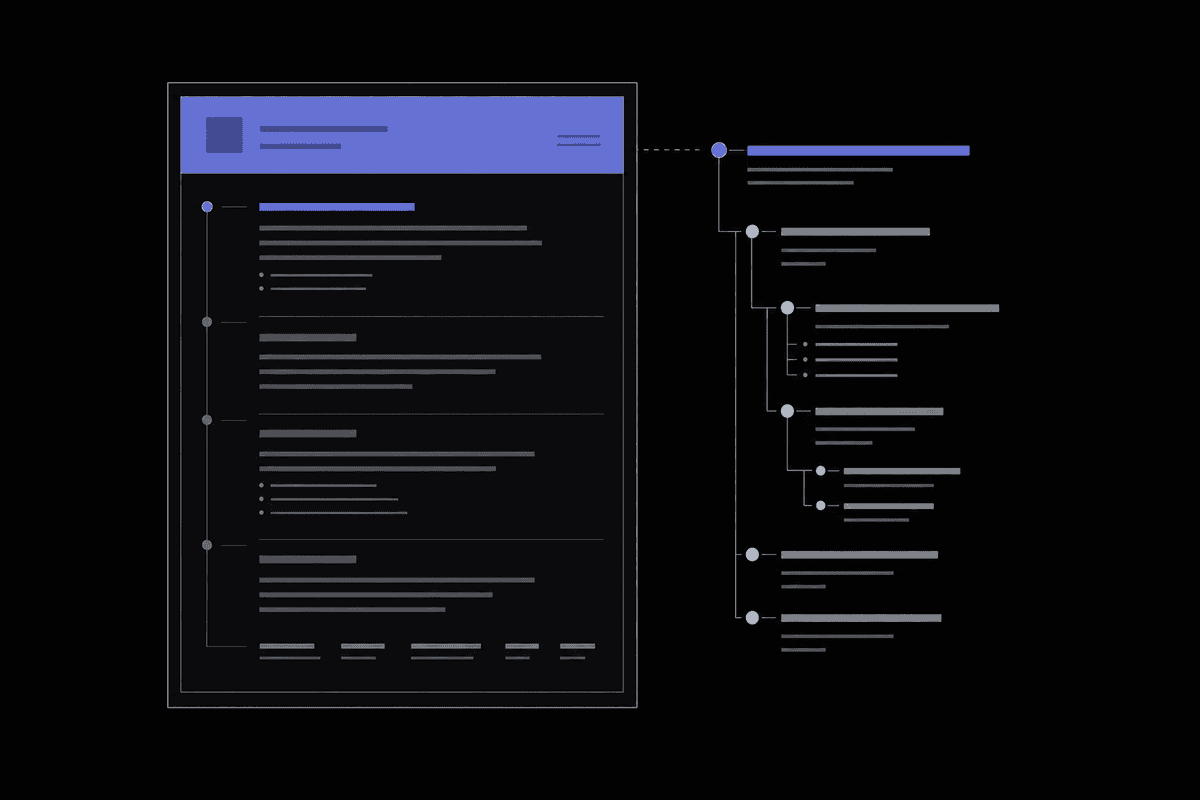
Every well-ranking blog post in 2026 shares a recognizable skeleton. The individual content changes, but the bones stay the same. Once you internalize this structure, writing and editing becomes faster because you're filling a proven template rather than reinventing the architecture every time.
Here's the anatomy, in order:
- Title (H1): Contains the primary keyword, ideally near the front. Clear, specific, and tells the reader exactly what they'll get.
- Meta description: 150-160 characters. Includes the primary keyword naturally and gives a reason to click. Not just a description, a pitch.
- TL;DR or summary box: A 2-3 sentence answer placed near the very top of the post. This is your AI grounding signal. More on this in the AI Overviews section.
- Introduction: 100-200 words. Hooks the reader, establishes relevance, and previews what's coming. Primary keyword appears in the first 100 words.
- Table of contents: Anchor links to each H2 section. Helps navigation and signals content depth to search engines.
- Body sections (H2s): Each covering one major subtopic. Ideally 3-8 H2 sections depending on post depth. H3s break each H2 into logical sub-points.
- Visuals: Screenshots, tables, charts, or diagrams placed inline with relevant sections, not dumped at the end.
- Internal links: Distributed naturally throughout the body, pointing to related posts and cornerstone content.
- Conclusion: Summarizes key takeaways without simply repeating every point. Adds a final insight or perspective.
- Call to action (CTA): One clear next step. Subscribe, download, read a related post, or try a tool.
- FAQ section: 5-8 questions based on People Also Ask data. Gives the post additional snippet eligibility for related queries.
Here's a reusable template you can copy into any document or CMS before you start writing:
- [ ] Title with primary keyword
- [ ] Meta description (150-160 chars, includes keyword)
- [ ] TL;DR summary (2-3 sentences, top of post)
- [ ] Introduction (100-200 words, keyword in first 100)
- [ ] Table of contents with anchor links
- [ ] H2 section 1 + H3 subsections
- [ ] H2 section 2 + H3 subsections
- [ ] [Continue for all sections]
- [ ] Inline visuals per section
- [ ] Internal links (minimum 3)
- [ ] Conclusion with CTA
- [ ] FAQ section (5-8 items)
A common mistake here is treating the template as a rigid cage. It isn't. Some posts need six H2s, some need ten. Some topics don't need a table of contents because the post is short enough to read straight through. Use your judgment. But when in doubt, err on the side of more structure, not less.
One comparison worth making: posts written without a pre-planned outline routinely end up with redundant sections, buried key points, and missing transitions. Posts built from a template before the first word is written consistently read more logically. I've tested this directly with content teams, and the template-first approach produces first drafts that need significantly less structural editing. The writing time may feel the same, but the editing time drops substantially.
Before you publish, use a word counter to verify your post hits the depth needed for your topic. For competitive topics, that's rarely under 1,500 words and often much more. Length alone doesn't rank content, but thin content almost always underperforms.
Heading Hierarchy: H1 Through H4 Best Practices
Headings are one of the most underused SEO tools available to writers. Most people understand that H1 is the title and H2s are section headers, but the nuances of how search engines actually parse heading hierarchy are often skipped over. Getting this right matters more in 2026 than it ever has.
H1: One Per Page, Primary Keyword First
Your H1 is the clearest signal you can send to Google about what your page covers. Use it exactly once. Place the primary keyword as early in the H1 as naturally possible. For example, "How to Structure Blog Posts for SEO" is stronger than "Our Guide to the Best Ways to Write and Structure Your Blog Posts for Search Engines." The first version leads with the query. The second buries it.
A common mistake I see constantly: people write a creative, punchy headline for their H1 and save the keyword-rich version for the meta title. That creates a mismatch. Your H1 and meta title don't need to be identical, but they should both include the primary keyword and signal the same topic.
H2: Major Sections, Phrased as Questions Where Possible
Each H2 should represent a distinct major section of your post. Think of H2s as the chapter titles of a book. They need to be informative on their own, not just clever. "The Magic Formula" is a weak H2. "The APP Formula for Writing Blog Introductions That Keep Readers Hooked" is strong because it tells a reader and a search engine exactly what follows.
Phrasing H2s as questions is particularly effective in 2026 because question-based headings align directly with how People Also Ask boxes are populated and how AI Overviews synthesize information. If your H2 is "What Is the Best Blog Post Structure for SEO?", you're explicitly positioning your content as the answer to that query.
H3: Supporting Detail Under Each H2
H3s break the content under each H2 into digestible sub-points. A good rule of thumb: if you're writing more than 300 words under a single H2 without any visual break, you probably need H3s. They guide skimmers to the exact sub-point they want and help search engines understand the granular structure of your argument.
Don't use H3s just to add visual variety. Each H3 should represent a genuinely distinct sub-topic. "Introduction" as an H3 under a section about formatting is meaningless. "How Short Paragraphs Improve Mobile Readability" is specific and useful.
Keyword Placement in Headings
Primary keywords belong in the H1. Secondary and related keywords belong in H2s and H3s where they fit naturally. The goal is not to force every heading to contain a keyword. The goal is to write headings that accurately describe their content, and to recognize that when your secondary keywords accurately describe your content, they'll appear in headings organically.
One concrete example: if you're writing a post about blog post structure, secondary keywords like "seo blog post format" and "blog writing structure" will appear naturally in section headings without any keyword stuffing. If you find yourself contorting a heading to include a keyword, that's a sign the keyword doesn't belong there.
For posts with complex structures, converting your headings to HTML before editing can help you spot hierarchy problems. Use the Text to HTML converter to see your structure laid out in markup, which makes nesting errors immediately visible.
Writing Introductions That Reduce Bounce Rate
The introduction is where most blog posts die. A reader lands on your page after clicking a search result with a specific need. If your intro doesn't confirm within seconds that they're in the right place, they're gone. And that bounce signals to Google that your content didn't satisfy the query, which suppresses your ranking over time. Writing a strong intro isn't just good writing practice. It directly affects your SEO.
The APP Formula
The APP formula is one of the most effective intro frameworks for SEO blog posts. It stands for Agree, Promise, Preview.
- Agree: Open by acknowledging the reader's problem or situation. This creates immediate connection and confirms they're in the right place. "You've published dozens of posts, but none of them seem to rank" is an agreement statement. It mirrors the reader's experience.
- Promise: Tell the reader what they'll walk away with. Be specific. "By the end of this post, you'll have a reusable template for structuring any blog post for SEO" is a strong promise. "This post will teach you about SEO" is not.
- Preview: Give a brief overview of what's covered. This doesn't need to be a full outline. Two or three sentences signaling the major areas you'll address is enough.
Here's what that looks like in practice. Instead of opening with "Blog posts are one of the most important tools for digital marketing," you open with: "Your last post took four hours to write and barely cracked page three. Chances are, it's not the content that's failing you. It's the structure. In this guide, you'll get a proven blog post template, a heading hierarchy breakdown, and a checklist you can use before every publish."
See the difference? The second version respects the reader's time, confirms relevance, and builds enough trust to keep them reading.
Optimal Introduction Length
I've found that introductions between 100 and 200 words perform best for most blog post types. Short enough that readers reach the first H2 quickly, long enough to establish context and trust. For highly competitive informational queries, slightly longer intros around 200-250 words can work well when the topic genuinely requires context-setting.
The primary keyword should appear in the first 100 words. This isn't about keyword stuffing. It's about confirming to both the reader and search engines that the page matches the query. If you can't work the keyword in naturally within the first 100 words, the intro may be too indirect.
Hook Techniques That Actually Work
Beyond APP, there are a few specific hook techniques worth having in your toolkit. A surprising statistic opens with authority. A relatable failure story opens with empathy. A direct, bold claim opens with confidence. A rhetorical question opens with engagement. Each works for different post types.
What doesn't work: generic openers that could apply to any topic. "In recent years, blogging has become increasingly important" is the kind of sentence that makes readers click away. Start specific, start relevant, start with the reader in mind.
Formatting for Readability and Featured Snippets
Formatting is where structure meets visibility. A well-formatted post is easier to read, easier to skim, and significantly more likely to be pulled into a featured snippet or AI Overview. These aren't separate goals. They're the same goal expressed at different levels.
Short Paragraphs Are Non-Negotiable
On screen, especially on mobile, long paragraphs feel oppressive. Readers see a wall of text and unconsciously decide it's too much work. The general guideline is three to four sentences per paragraph maximum. In practice, I often write paragraphs of two sentences for impact.
Short paragraphs also help with featured snippets. Google tends to pull paragraph-format snippets from posts where the answer is contained in a clean, concise block. A 6-sentence paragraph dilutes the answer. A 2-3 sentence paragraph concentrates it.
Lists and Tables for Snippet Eligibility
Numbered lists and bulleted lists are the most common format for featured snippets on how-to and comparison queries. When your content naturally lends itself to steps or options, use a list rather than prose. "Here are the five elements of a blog post intro" followed by a numbered list is far more snippet-eligible than the same information written as a paragraph.
Tables work exceptionally well for comparison content. If you're comparing two approaches, two tools, or two time periods, a table organizes that information more clearly than prose and gives Google a clean, structured block to display. For formatting-heavy tasks, the Markdown to Text converter can help you move content between editing formats without losing your list and table structures.
Bolding Key Phrases
Bold text serves two purposes. It helps skimmers identify key concepts at a glance, and it signals emphasis to search engines. Use it for genuinely important phrases, definitions, and key terms. The common mistake is bolding too much. When everything is bolded, nothing is. Aim for one or two bolded phrases per section, used purposefully.
Paragraph Spacing and White Space
White space is a readability tool. A post with dense, wall-to-wall text feels harder to read than a post with regular visual breathing room, even if the content is identical. Use spacing between paragraphs generously. Break sections with H3s before they get too long. Insert a visual or table when you've been running text-only for too long.
After drafting, run your content through the word counter and readability checker to get an objective measure of reading ease. A Flesch-Kincaid score appropriate for your audience is a useful benchmark, and it's something many writers skip entirely.
Internal Linking Strategy Within Blog Posts
Internal links are one of the most underused ranking tools available to bloggers. Most people add them as an afterthought, inserting a link or two to vaguely related posts right before publishing. That's not a strategy. That's a habit. A deliberate internal linking approach can meaningfully improve the ranking performance of every post on your site.
Why Internal Links Matter for SEO
Internal links pass authority between pages. When a high-authority page on your site links to a newer or lower-authority page, it transfers some of that ranking signal. This is why cornerstone content, your most authoritative, in-depth pieces on your core topics, should receive the most internal links pointing toward them from other posts. As one SEO expert puts it, "Cornerstone articles should have the most internal links pointing to them."
They also help search engines understand your site's topical structure. A blog about content marketing that consistently links between posts on SEO, copywriting, and content strategy is signaling a coherent topical cluster. That cluster approach is one of the most effective long-term SEO strategies available, and internal linking is what holds the cluster together.
Where and How to Place Internal Links
Place internal links where they genuinely add value for the reader. A link to a related post should feel like a natural recommendation, not a forced insertion. Contextual links within body paragraphs are more valuable than links in sidebars or footers because they appear in the content itself, where reader attention and link equity both flow more strongly.
Anchor text matters. Descriptive anchor text like "our guide to blog post SEO formatting" tells both readers and search engines what the linked page covers. Generic anchor text like "click here" or "this post" wastes the opportunity. That said, you don't need to cram keywords into every anchor. Natural language that describes the destination accurately is enough.
How Many Internal Links Per Post?
There's no magic number, but a practical guideline for a 1,500-3,000 word post is three to seven internal links. Enough to connect the post to your content ecosystem, not so many that it feels like a directory. Prioritize linking to cornerstone content and closely related posts over linking broadly across unrelated topics.
One thing I've seen go wrong repeatedly: writers link to every post they've ever written from a single new post, hoping to distribute authority broadly. This dilutes the linking signal. Be selective. Link to posts where the connection is genuinely relevant, and where the linked content would actually benefit the reader who just read the sentence containing the link.
If your post involves structured data or formatted content, the Indent/Unindent Text tool can help you organize nested content hierarchies clearly, which also helps when you're setting up internal linking structures in your CMS template.
Optimizing for AI Overviews and SERP Features
AI Overviews are now a dominant SERP feature for informational queries, and they're changing the way structured content performs. If you're writing blog posts without considering how AI systems will interpret and cite your content, you're leaving significant visibility on the table.
How AI Overviews Read Your Content
AI grounding systems are, in essence, top-heavy readers. Research into AI content retrieval behavior suggests that AI engines prioritize the first 540 words of a post when generating grounded responses. After that threshold, content still gets indexed but contributes less to direct citation. This means what you put near the top of your post matters enormously.
The practical implication is clear: place your clearest, most direct answers near the top. A TL;DR summary box immediately after your introduction gives AI systems a concise, quotable block. A table of contents with descriptive anchor links signals content hierarchy. A well-structured opening section that defines your topic explicitly increases the chance of being cited in an AI Overview.
Question-Based Headings for AI Visibility
AI Overviews regularly synthesize content from multiple posts to answer a user's question. Posts that frame H2s and H3s as direct questions matching common search queries are much better positioned to be cited. "What Is the Best Format for an SEO Blog Post?" as an H2 directly answers a query that thousands of people type every month. It gives the AI a clear question-answer pairing to work with.
This approach also aligns with People Also Ask boxes. When your headings mirror PAA questions, your content is explicitly formatted to populate those boxes, which appear on the vast majority of informational search results.
Clear Definitions and Authoritative Formatting
AI systems favor content that defines terms clearly and answers questions directly. If your post covers a concept like "cornerstone content" or "heading hierarchy," define it explicitly in the text. A short, clear definition sentence immediately following the first use of a term is both reader-friendly and AI-citation-friendly.
Authoritative formatting signals include: citing data sources inline, attributing quotes to named experts, including author credentials in the post metadata, and maintaining a consistent, logical argument throughout. These are also the signals Google's quality evaluators use when assessing E-E-A-T, which makes them doubly important.
For posts that use structured data markup, the Slug Generator helps you create clean, keyword-rich URL slugs without dates or numbers, which is the recommended format for evergreen content. A clean URL like /blog/how-to-structure-blog-posts-seo performs better than one with numbers or timestamps because it signals evergreen relevance.
Structured Data: The Underused SERP Advantage
Adding FAQ schema, HowTo schema, or Article schema to your posts gives search engines explicit machine-readable signals about your content's structure. An FAQ section with proper schema markup can generate rich results that take up significantly more SERP real estate than a plain organic listing. Combined with strong heading structure and clear answers, schema markup is one of the most reliable ways to improve click-through rates without changing your content itself.
Blog Post Structure Checklist
This checklist covers every structural element discussed in this post. Copy it into your preferred task manager, document template, or notes app, and run through it before every publish. Treat it as a minimum bar, not an exhaustive ceiling.
Pre-Writing Checklist
- [ ] Primary keyword identified and confirmed (search volume and intent verified)
- [ ] Secondary keywords listed
- [ ] People Also Ask questions noted for FAQ section and heading inspiration
- [ ] Post outline created with H2 and H3 headings mapped before writing begins
- [ ] URL slug generated (keyword-rich, no dates, no numbers): use the Slug Generator
Title and Meta
- [ ] H1 contains primary keyword, ideally near the front
- [ ] Meta description is 150-160 characters, includes keyword, and gives a reason to click
- [ ] URL slug matches target keyword without stop words
Opening Section
- [ ] TL;DR or summary box appears within the first 540 words
- [ ] Introduction uses the APP formula (Agree, Promise, Preview)
- [ ] Primary keyword appears in the first 100 words
- [ ] Table of contents with anchor links included after the intro
Body Structure
- [ ] H2s cover distinct major sections (no overlap, no redundancy)
- [ ] At least some H2s are phrased as questions aligned with search queries
- [ ] H3s used under H2s where sections exceed 300 words or cover multiple sub-points
- [ ] Secondary keywords appear naturally in H2s or H3s where relevant
- [ ] Paragraphs are 3-4 sentences maximum
- [ ] At least one numbered or bulleted list per major section
- [ ] At least one table or visual element in the post
- [ ] Key terms and phrases are bolded sparingly (1-2 per section)
Links and Media
- [ ] Minimum 3 internal links placed contextually in body text
- [ ] At least one internal link points to a cornerstone or pillar page
- [ ] Anchor text is descriptive (no "click here" or "read more")
- [ ] All images have descriptive alt text with relevant keywords where natural
- [ ] Image file names are descriptive (not "IMG_0045.jpg")
Closing and Technical
- [ ] Conclusion adds a final insight, not just a summary
- [ ] Single clear CTA at the end
- [ ] FAQ section with 5-8 questions (schema markup added if possible)
- [ ] Word count verified for appropriate depth: check with the Writing Workspace (free word counter)
- [ ] Readability score checked and appropriate for target audience
- [ ] Post reviewed for E-E-A-T signals (author bio, citations, original insights)
If you find the checklist reveals gaps after writing, don't panic. Address the structural issues before publishing rather than planning to fix them later. In practice, posts that launch with strong structure almost always outperform posts that are "fixed" after the fact. Search engines form initial impressions of new content quickly, and starting strong matters.
For writers who draft in plain text or Markdown before moving to a CMS, the Markdown to Text converter can help you clean up formatting before pasting, and the Add Line Numbers tool is useful for reviewing and editing long structured drafts where you need to reference specific lines during revisions.
Frequently Asked Questions
What is the best blog post structure for SEO in 2026?
The most effective structure includes a keyword-rich H1, a TL;DR summary within the first 540 words, a table of contents, H2 sections phrased as questions, H3 sub-sections for detail, short paragraphs, bullet lists, internal links, a conclusion with a CTA, and an FAQ section. This structure supports both human readability and AI Overview citation.
How long should a blog post be for SEO?
Length should match the depth the topic requires. Competitive informational posts typically need 1,500 to 3,000 words to cover a topic thoroughly enough to rank. That said, AI systems ground primarily in the first 540 words, so top-heavy, well-structured content matters more than raw word count. Thin posts under 800 words rarely rank for competitive queries in 2026.
Where should I put keywords in a blog post?
Place the primary keyword in the H1, within the first 100 words of the introduction, in the URL slug, and naturally in one or more H2s. Secondary keywords belong in H2s and H3s where they fit organically. Avoid forcing keywords into headings or sentences where they read awkwardly. Natural keyword integration consistently outperforms forced placement.
Should every blog post have a table of contents?
For posts over 1,000 words, yes. A table of contents with anchor links helps readers navigate directly to relevant sections and signals content depth to search engines. For shorter posts, it can feel unnecessary. Use your judgment based on whether a reader arriving at the post would genuinely benefit from being able to jump to a specific section.
How many internal links should a blog post have?
A practical range for most posts is three to seven internal links. Focus on linking to cornerstone content and closely related posts rather than linking broadly. Use descriptive anchor text that tells the reader what they'll find at the destination. Avoid adding links just to hit a number — each link should serve the reader and reinforce your site's topical structure.
How do I optimize a blog post for AI Overviews?
Place a direct, clear summary of your post's main answer near the top, ideally within the first 540 words. Use question-based H2s and H3s that match common search queries. Define key terms explicitly. Cite sources inline. Maintain a logical, hierarchical heading structure throughout. These signals make your content easier for AI systems to parse, cite, and surface in AI-generated responses.
What is the APP formula for blog introductions?
APP stands for Agree, Promise, Preview. Start by acknowledging the reader's problem or situation (Agree), then tell them specifically what they'll learn or gain from the post (Promise), then briefly outline what you'll cover (Preview). This structure hooks the reader quickly, confirms relevance, and reduces bounce rate by giving people a clear reason to keep reading before they've committed to the full post.
How should I update old blog posts for better SEO performance?
Add or revise subheadings to improve hierarchy, shorten long paragraphs, insert relevant internal links to newer content, add a table of contents if the post lacks one, include a TL;DR near the top, and verify that the primary keyword appears in the first 100 words and in the H1. Update the publish date only if you've made substantive content changes. Don't no-index old posts unless they're genuinely low-quality with no path to improvement.
This article was drafted with AI assistance, fact-checked against primary sources, and reviewed by our editorial team before publishing. How we use AI.